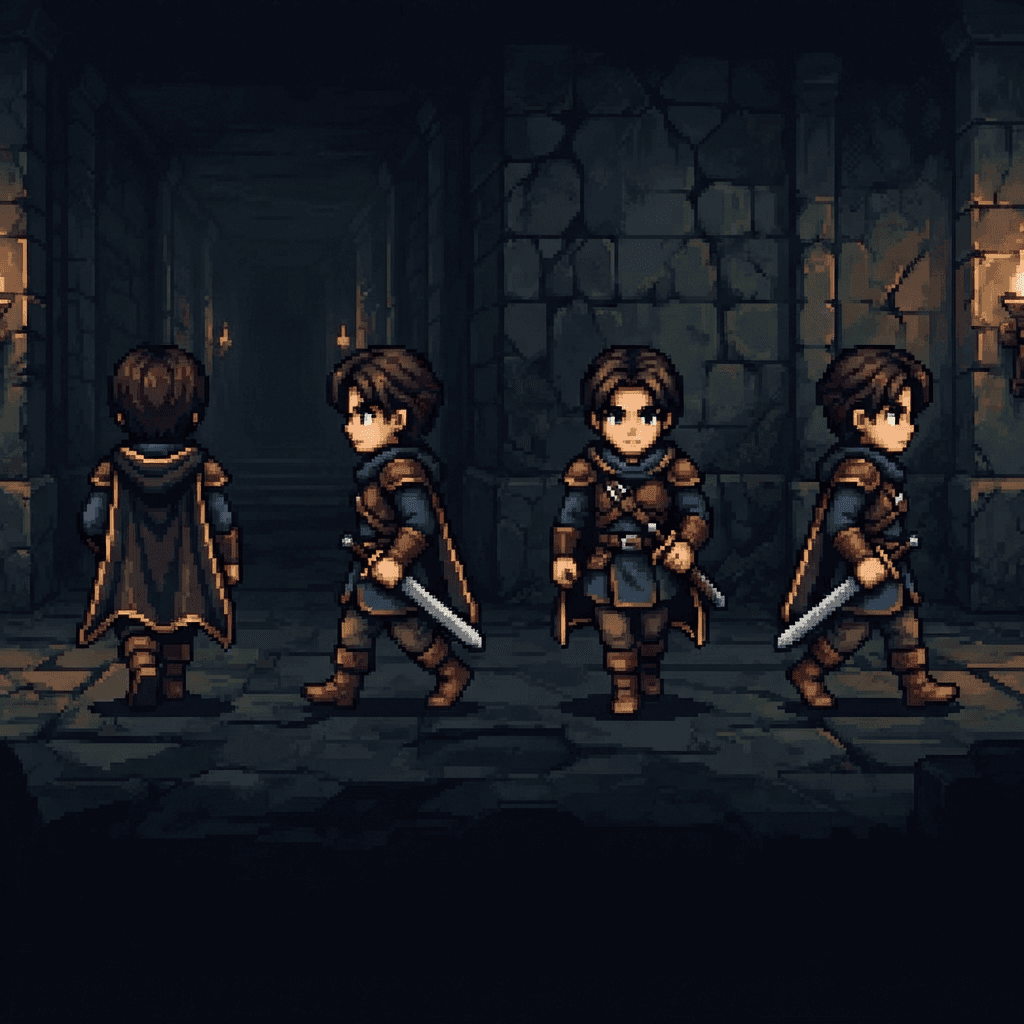
RPG Maker MZ Character Sheet Format Explained (48x48, 3x4 Grid, $ Prefix) and How to Generate One with AI
A precise breakdown of RPG Maker MZ's character sprite sheet format, walk cycle frame order, face sheets, and how to generate a compliant sheet with AI instead of hand-drawing it.
RPG Maker MZ is unusually strict about its character sheet format. Get the grid dimensions or the filename prefix wrong and the engine won't error, it'll just display the wrong slice of your image, or treat a single character as one of eight. This guide breaks down exactly what MZ expects, including the parts that trip people up (the walk cycle's frame order isn't 0-1-2, it's a ping-pong), and how to generate a compliant sheet with AI instead of manually cropping one in an image editor.
The single-character sheet: 144x192, a 3x4 grid of 48x48 cells
A single-character walking sprite sheet in RPG Maker MZ is 144 x 192 pixels total, laid out as 3 columns by 4 rows, each cell exactly 48x48 pixels. The three columns are the frames of a walk cycle; the four rows are the four cardinal facing directions.
| Row | Direction |
|---|---|
| 1 (top) | Down (facing the player, front-facing) |
| 2 | Left |
| 3 | Right |
| 4 (bottom) | Up (facing away from the player, back) |
This down, left, right, up order is fixed. If your rows are in a different order, the character will appear to walk left when it should be walking down, and no amount of correct art will fix that; only the row order does.
The walk cycle is a ping-pong, not a simple 0-1-2 sequence
Within each row, the three columns are frames 0, 1, and 2. It's tempting to assume the engine just cycles 0, 1, 2, 0, 1, 2, but that's not what happens. Frame 1, the middle column, is the character's standing pose: feet together, the narrowest silhouette. Frames 0 and 2 are the two extremes of the stride, feet apart in opposite directions. During actual movement, MZ plays the sequence as a ping-pong around the middle frame: 1, 0, 1, 2, 1, 0, 1, 2, and so on, so the character's feet swing out and back through the neutral pose instead of jumping directly from one extreme stride to the other. When you're generating or hand-drawing the three columns, column 1 should be the neutral standing pose, not another mid-stride frame, or the ping-pong will look like a stutter instead of a walk.
The "$" prefix: telling MZ this file is one character, not eight
RPG Maker MZ's default character sheet format actually packs eight characters into one 576 x 384 image, arranged as a 4x2 grid of character blocks, each block being the same 144x192, 3x4-cells-of-48x48 layout described above. That's the standard format for the built-in character sets that ship with the engine.
If you only have one character and don't want to pack it alongside seven others, prefix the filename with a dollar sign, for example $Hero.png. The $ tells MZ to treat the file as a single 144x192 character sheet instead of trying to read it as an 8-character grid. This is the format Sprixen targets for AI-generated characters, since generating eight unrelated characters into one fixed grid to satisfy the default format makes no sense for a custom roster.
Where the file goes
Character sheets, whether the 8-character default format or a $-prefixed single character, go in your project's img/characters/ folder. MZ's database references them by filename from there when you assign a character graphic to an actor or event.
Face sheets: 144x144 per face, usually 4x2 per sheet
Separately from the walking sprite, MZ shows a larger portrait, a "face," in dialogue boxes and menus. Each individual face is 144x144 pixels, and a standard face sheet arranges 8 faces in a 4-column by 2-row grid, for a total sheet size of 576x288. If you only need one face for a single custom character, a sheet with just that one face in the first slot (leaving the rest of the 576x288 canvas blank) is a valid, if wasteful, way to supply it; some pipelines instead crop just the single 144x144 tile and handle the placement separately, depending on how your project's asset tooling expects it.
What the "!" prefix actually does (and why it's not for characters)
You may see the "!" prefix mentioned alongside "$" in RPG Maker discussions, and it's worth being precise about what it does, since it's easy to conflate the two. MZ's character sprites are, by default, drawn shifted six pixels upward and get a translucency effect when the character stands on a tile flagged as "Bush" in the tileset. The ! prefix cancels both of those behaviors. That makes it useful for non-character objects placed as events, doors, chests, switches, and similar scenery pieces, that shouldn't float six pixels off their tile or fade when a nearby tile happens to be marked as bush terrain. It isn't something you'd normally apply to a walking character sheet; it belongs to the object/event side of sprite usage, not the character-walking-cycle side this guide is about.
Where character sheets fit next to the rest of an MZ project's art
A character sheet is only one of several sprite formats MZ expects, and it helps to know where the boundaries are so you don't try to reuse one format for a job it wasn't built for. Tilesets (the ground, walls, and scenery a map is built from) live in their own autotile-aware grid, unrelated to the character grid described here, and MZ has strict rules about which tile positions are treated as autotiles versus static tiles. Side-view battler graphics, the animated character art shown during combat in the default battle system, are a separate sprite format again, generally larger and not sliced into a walk-cycle grid at all. SV actor sheets follow their own multi-pose grid distinct from both the overworld character format and the front-view enemy graphics. None of these share the 48x48, 3x4 layout this guide covers; treat the character sheet format as specific to the overworld walking sprite and the sprite used for common events, not a universal MZ sprite standard.
Generating a compliant sheet with AI instead of by hand
Hand-building a compliant sheet means posing a character in four directions, three frames each, keeping proportions and palette identical across all twelve cells, then compositing them into an exact 144x192 (or 576x384 for the multi-character format) canvas with no drift in the 48x48 grid. That's a few hours of careful work per character even for an experienced pixel artist.
Sprixen's Character Package endpoint has a dedicated engine=rpgmaker-mz target that builds this automatically from a generated character and its walk animation: GET /v1/sprites/:id/package?engine=rpgmaker-mz, or the export_character_package MCP tool with the same parameter. It requires walk animations in the four cardinal directions to build a complete sheet; if a character only has some directions generated (commonly missing left, since many characters are generated facing right by default), Sprixen mirrors the existing right-facing walk to produce left, and falls back to the idle pose for any direction with no animation at all, recording exactly what it substituted in the manifest's warnings field so you know which directions are mirrored rather than independently generated.
The output is rpgmaker/$<slug>.png at the exact 144x192, 3x4, 48x48-cell layout in the correct down/left/right/up row order, with the twelve frames resampled evenly from the source walk animation to land on the three-column format (or picked directly if the walk animation already has exactly three frames per direction). A face crop, rpgmaker/<slug>_face.png, comes alongside it when the character has a portrait, cropped to 144x144 and placed in a single-face slot of a 576x288 sheet.
Once you have the file, drop it into img/characters/, assign it to your actor or event in the MZ database, and the walk cycle, ping-pong and all, works exactly as if you'd hand-drawn it to spec.
Why this preset is worth building even though it's a niche engine
RPG Maker MZ is an unusually rigid target compared to Phaser or Godot: there's exactly one correct grid, exactly one correct row order, and exactly one correct way to signal a single-character file. That rigidity is actually good news for automating it. A format with more flexibility, where a developer could reasonably choose their own frame layout, is harder to generate reliably because there's no single "correct" output to aim for. MZ's format has no such ambiguity, which is why an automated export can target it with confidence that a compliant sheet will just work, rather than working "in most configurations" the way a looser format sometimes does. If you've hand-built an MZ sheet before and spent time nudging pixels to hit an exact 48x48 boundary, that same rigidity is what made the process tedious by hand and reliable to automate.
For sizing decisions before generating (48x48 is fixed for MZ, but your source art doesn't have to start there), see pixel art sizes guide. For the underlying reason AI-generated characters can drift between directions if you're not careful with style locking, see why AI sprites look inconsistent. Full endpoint reference: /docs.
FAQ
Does this format also work for RPG Maker MV?
Yes. MV and MZ share the same character sheet conventions: 144x192 single-character format with the $ prefix, the same 3x4 grid, and the same down/left/right/up row order.
What happens if I skip the $ prefix on a single-character file?
MZ will try to read it as the 8-character 576x384 format. On a 144x192 image that mismatch means the engine reads garbage regions as separate characters, so your one character will appear broken or partial rather than simply working at a smaller scale.
Can I use a non-pixel-art style for an MZ character sheet?
Yes, MZ doesn't require pixel art specifically, though most published MZ games use it for visual consistency with the engine's default assets. The grid and dimension requirements apply regardless of art style; Sprixen's rpgmaker-mz export uses nearest-neighbor scaling for pixel art sources and smoother resampling otherwise, preserving aspect ratio either way.
Why does my character appear to "stutter" while walking even though the sheet looks correct?
Check that column 1 (the middle frame) is actually the neutral standing pose and not another mid-stride frame. Since MZ plays back a ping-pong around that middle frame, putting the wrong pose there breaks the illusion even if all three individual frames look fine in isolation.
Do I need a face sheet, or is the walking sprite enough?
The walking sprite alone is enough for the character to move around the map. A face sheet is only needed if you want that character's portrait to appear in dialogue boxes or menus; without one, MZ simply shows no portrait for that character in those contexts.
Generate sprites that actually match.
Style-locked sprite generation keeps every character, tile and animation in your project visually consistent. 6 free credits on signup, no credit card required.
Related Articles
Publish Your Claude Code or Cursor Game to a Public URL in One Step
You finished a vibe-coding session and have a folder of HTML and JS. Here's how itch.io, GitHub Pages, Netlify, Vercel and Sprixen's Game Creator publish flow compare for actually getting it in front of players.
Import AI Sprites into Godot 4 with SpriteFrames (AnimatedSprite2D Guide)
How to get AI-generated sprite sheets into Godot 4 using SpriteFrames and AnimatedSprite2D, with the Sprixen Godot addon, the manual slicing path, and common import mistakes.
9 Best D&D Character Creators in 2026 (Free, AI and Official)
D&D Beyond, Roll20 Charactermancer, Foundry VTT, Dicecloud, PCGen, Fantasy Grounds, Hero Forge, CharGen and Sprixen compared on price, system support, character art and VTT export.