
Isometric Pixel Art Guide: Tile Sizes, the 2:1 Grid and Building Sprites
How isometric pixel art actually works in games: the 2:1 dimetric grid, tile sizes like 64x32 and 128x64, building footprints, anchors, draw order, and Godot and Tiled settings, with a real generated town.
Most "isometric" games are not true isometric. They use a 2:1 dimetric projection: every tile is a diamond twice as wide as it is tall, so diagonal edges step two pixels across for every pixel down. That ratio keeps pixel lines clean, and it decides every other size in the game: tiles, buildings, characters and the draw order.
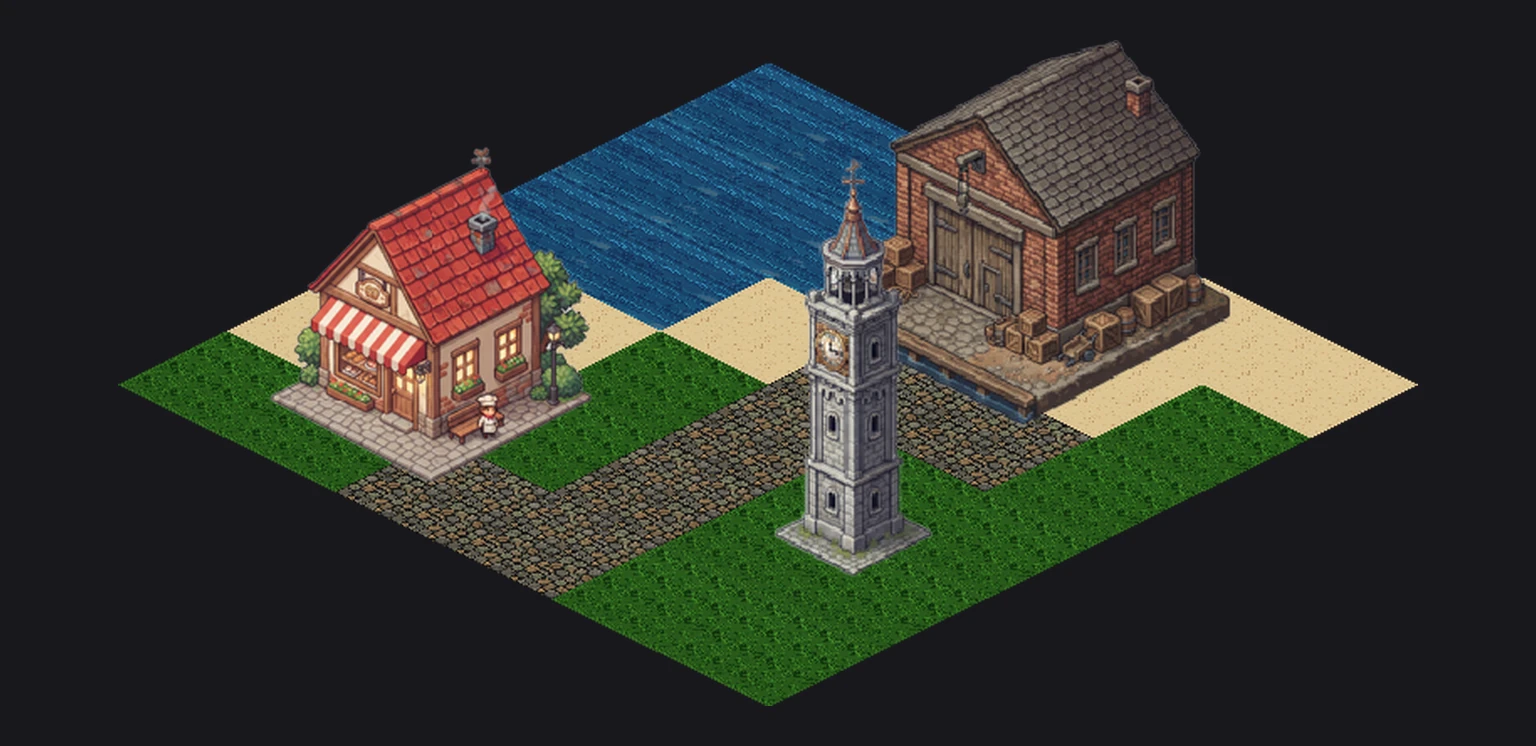
The town above was made for this guide: four ground tiles and three buildings generated in one isometric project, then placed on a 6 by 6 grid. Every number below comes from those files.
Tile sizes
| Tile (diamond) | Typical use | Character height |
|---|---|---|
| 32x16 | Retro, tiny maps, mobile | 24 to 32 px |
| 64x32 | Most indie isometric games | 48 to 64 px |
| 128x64 | City builders, detailed tiles, 4K targets | 96 to 128 px |
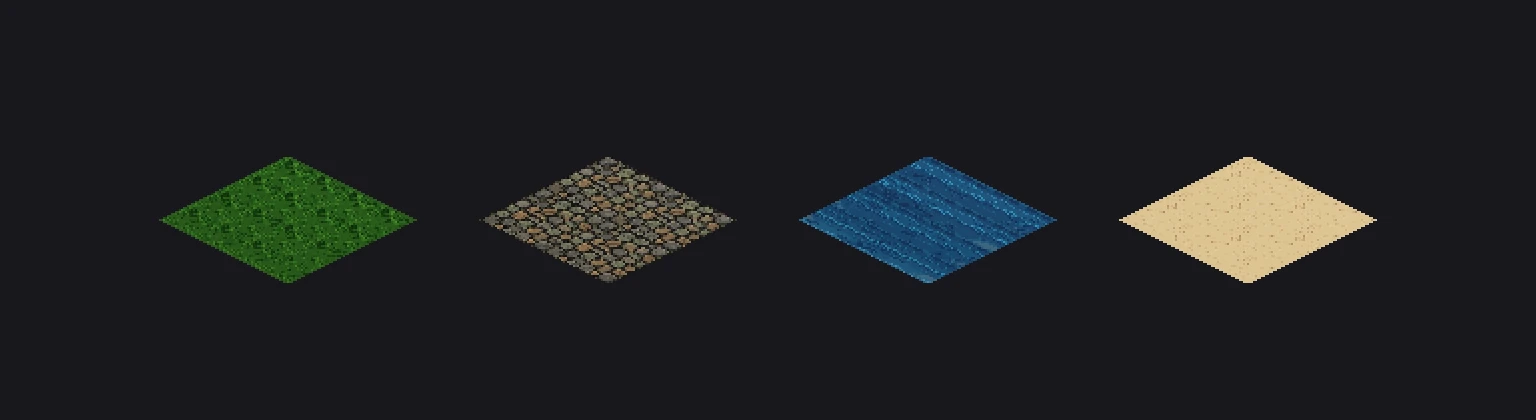
The generated ground tiles are a 128x64 diamond (129 by 64 pixels, the extra pixel closes the left and right points) placed at the bottom of a taller 130x230 canvas, which leaves room for raised tiles, cliffs and props that share the same file size.
Buildings and footprints
A building covers a footprint of whole tiles: a house might be 2x2, a warehouse 3x2, a tower 1x1. The sprite's width follows the footprint (a 2x2 building on 128x64 tiles is 256 px wide at its base); the height follows the roof and is free.
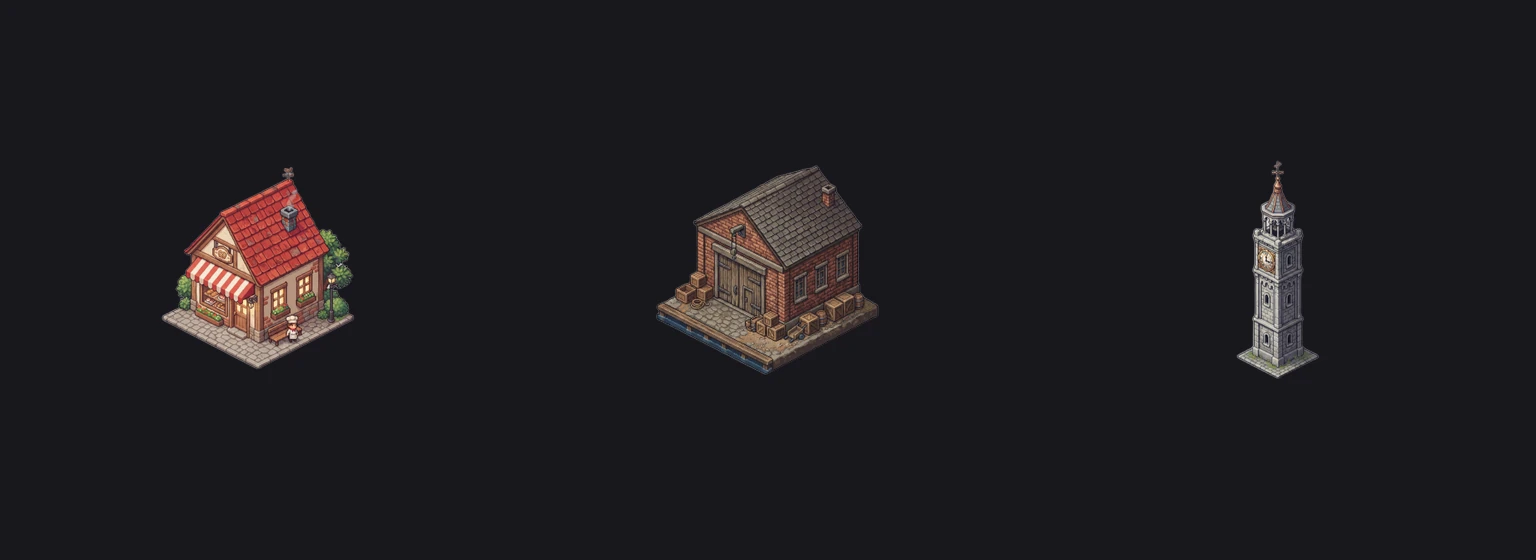
We asked for each building with its footprint in the prompt ("isometric 2x2 building", "3x2", "1x1") at 256x256. The visible art came out 194 px wide for the bakery, 223 px for the warehouse and 84 px for the tower, so each needed a scale to its footprint before placing. In your own pipeline, either generate at the footprint width or record the scale per building.
Anchor at the bottom corner
Place every building sprite by the front corner of its footprint (the bottom point of the diamond), not by the top-left of the image. In Godot set the Sprite2D offset so the texture's bottom center sits at the node origin; in Tiled, set the tileset's Object Alignment to Bottom so tile objects sit on their base.
Draw order
Things lower on screen must draw on top. Sort by the sum of the grid coordinates (x + y), then by height for objects on the same tile. Godot does this with Y Sort Enabled on the parent node; Unity with a Transparency Sort Axis of (0, 1, 0) in the 2D renderer; Tiled with the object layer's draw order set to Top Down.
Engine settings
Godot 4
In the TileSet set Tile Shape to Isometric, Tile Layout to Diamond Down and Tile Size to the diamond (128x64 here). Turn on Y Sort on the TileMapLayer and on the node that holds buildings and characters.
Tiled
Create the map with Orientation Isometric and tile width 128, tile height 64. Import the 130x230 tiles with a tile offset so the diamond at the bottom of the canvas lines up with the grid.
Unity
Create a Grid with Cell Layout Isometric and Cell Size (1, 0.5, 1), and a Tilemap Renderer in Individual mode so tall tiles sort with characters.
Generating isometric art that fits the grid
- Set the view angle once on the project, so every sprite is drawn from the same isometric camera.
- Say the footprint in the prompt and keep one resolution for all buildings of the same footprint.
- Generate ground tiles as flat tops only, then add cliffs and raised pieces as separate tiles.
- Check the 2:1 slope on the first tile before generating fifty more.
The same project-wide style lock is what keeps a whole kit consistent; we tested it on a full RPG kit in our Claude Code walkthrough.
FAQ
What is the standard isometric tile size?
64x32 is the most common size for indie isometric pixel art; 128x64 is used for detailed city builders and high-resolution targets. Both keep the 2:1 width to height ratio.
Is isometric pixel art 30 degrees?
Not exactly. Pixel art "isometric" uses a 2:1 dimetric projection whose lines rise at about 26.57 degrees (two pixels across, one down), because true 30 degree isometric lines look jagged on a pixel grid.
How do I sort isometric sprites so buildings overlap correctly?
Draw lower-on-screen objects last: sort by the sum of grid coordinates, then by height. In Godot enable Y Sort; in Unity set the Transparency Sort Axis to (0, 1, 0).
How big should an isometric building sprite be?
Its base should be as wide as its footprint: a 2x2 building on 64x32 tiles is 128 px wide at the base. The height depends on the roof and has no fixed rule.
Generate sprites that actually match.
Style-locked sprite generation keeps every character, tile and animation in your project visually consistent. 6 free credits on signup, no credit card required.
Related Articles
AI Tileset Generator Guide: Seamless Tiles for Top-Down and Side-Scroller Games
Make seamless game tiles with AI: tile sizes, why seams appear, autotile and terrain basics, the 3x3 preview test and exporting to Tiled or Godot.
Best AI Game Asset Generators in 2026: Sprites, Icons, Tiles, UI and 3D
The AI game asset generators worth using in 2026, compared on what they make (sprites, icons, tiles, UI, 3D), price, free tier, API and MCP access, with results from a real test session.
Best AI Sprite Animation Generators in 2026 (Walk Cycles, Attacks, 8 Directions)
AI sprite animation generators compared: how each one animates (text, image, skeleton, video, 3D), frame counts, directions, export formats and price per animation, plus a real 4 and 8 direction test.