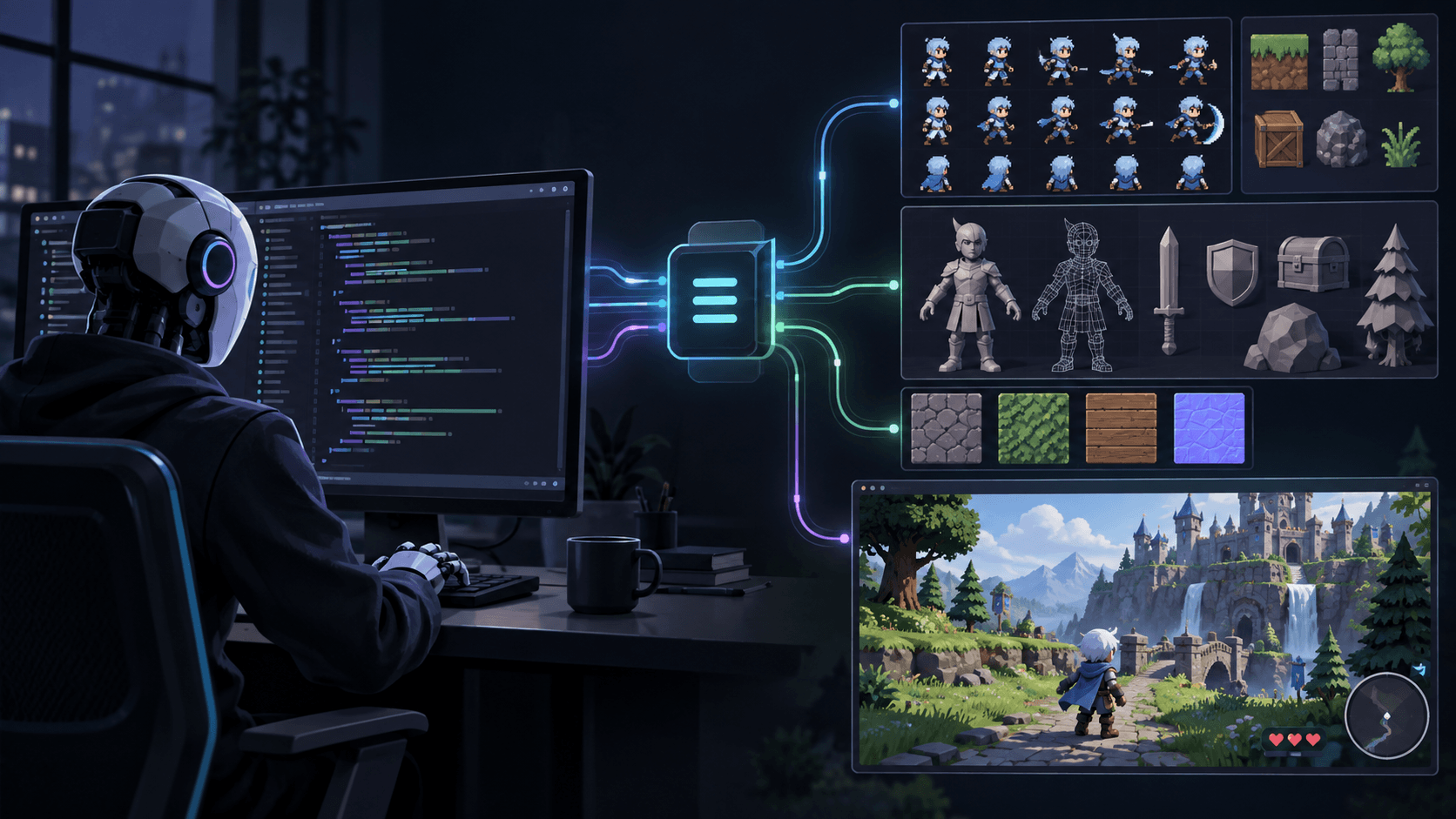
Modding PC Games with Claude Code: Give Your Agent Consistent Sprites
Use universal-modder and Claude Code to mod games you own, and add the Sprixen MCP server so the agent gets one-style sprites and animation sheets.
To mod a PC game with Claude Code, install an agent toolkit such as the open source universal-modder, which teaches the agent how to read a game's code, build a mod and test it in the running game. Then connect the Sprixen MCP server next to it, so every sprite, item icon and animation sheet the agent generates shares one style instead of drifting between prompts.
This guide covers what universal-modder does, how to wire both tools into Claude Code, a realistic session, and the rules that keep the work legal and safe.
What universal-modder is
universal-modder is an MIT licensed set of skills, CLI tools and a shared knowledge base for AI coding agents. Its README describes it as letting an agent mod almost any PC game you own, and lists Claude Code, Codex, Cursor, Gemini CLI, GitHub Copilot and OpenCode as supported agents. It ships engine playbooks for Unity, Unreal, .NET and XNA games (Terraria, Stardew, Celeste), Godot, Source, Minecraft and many more.
The workflow it gives the agent has ten steps:
- Search the knowledge base.
- Recon, then pick a route.
- Set up a safe lab, with saves backed up.
- Read the actual code.
- Build one working slice.
- Generate assets.
- Verify in the real game.
- Record.
- Package.
- Write a field note for the next agent.
Step 6 is where art enters. universal-modder's built-in asset path uses fal hosted models through an MCP server, or a local ComfyUI server through its um comfy command. Both are general image generators. They are good at single images and leave it to the agent to keep ten sprites looking like one mod.
Why a mod needs one locked style
A mod sits next to the game's original art, so every inconsistency is visible. An agent that prompts a general image model ten times gets ten interpretations of "pixel art sword": different outline weights, palettes and pixel densities. Then it has to cut out backgrounds, slice frames and normalize sizes by hand.
Sprixen keeps the style in a project. You set the art style, resolution, view angle and palette once, and every sprite and animation generated with that project ID inherits them. Backgrounds are removed with an ML segmentation model, and animations come back as horizontal strips with uniform frames. For an agent, that turns "make it match" from a prompt hope into a parameter.
Wire both into Claude Code
1. Install universal-modder
From the universal-modder README, inside Claude Code:
/plugin marketplace add rehan-remade/universal-modder
/plugin install universal-modder@universal-modder
Then install its um CLI in your terminal:
uv tool install git+https://github.com/rehan-remade/universal-modder2. Add the Sprixen MCP server
Create an API key in Sprixen (it looks like spx_live_...) and register the server:
claude mcp add --transport http sprixen https://api.sprixen.com/v1/mcp \
  --header "Authorization: Bearer spx_live_YOUR_KEY"
Optionally install the Sprixen skill so Claude knows the order of operations (one project per game, base sprite before animations, poll instead of resubmitting):
mkdir -p ~/.claude/skills/sprixen && curl -fsSL https://sprixen.com/skills/sprixen/SKILL.md \
  -o ~/.claude/skills/sprixen/SKILL.md
Start a new session and ask Claude to check your Sprixen credits. If it calls get_credits and reports a number, the connection works.
3. A Sprixen provider for um, proposed upstream
A native Sprixen provider for the um CLI has been proposed upstream as a pull request on the universal-modder repository. It adds a um sprixen command group for sprites, animation sheets and terrain tiles. The pull request is still open, so treat it as a proposal. The MCP server above works today without it.
A realistic session
Say you own Terraria and want a small tModLoader mod: a fire sword and an ash crawler enemy. A good opening prompt sets the scope, the safety rules and the art pipeline in one go:
Use universal-modder to make a tModLoader mod for my Terraria install:
an "Ember Blade" sword and an "Ash Crawler" ground enemy.
For art, create one Sprixen project called "ember-mod" (pixel art,
side view, warm volcanic palette) and reuse its projectId for every
asset. Generate the sword pointing to the top right, then the
crawler, then an 8-frame walk animation for the crawler. Restack
the walk strip vertically for the NPC texture. Check my credits
first and show me the asset list before building.
Here is what the agent does with each tool:
| Step | Tool | Result |
|---|---|---|
| Recon the game and pick the tModLoader route | universal-modder skills and knowledge base | A plan for the mod folder and classes |
| Check the budget | get_credits | Balance before any paid call |
| Create the style project | call_api (project endpoint) | A project ID that locks style and palette |
| Generate the sword and the crawler | generate_sprite, polled with get_generation | Two transparent PNGs, 2 credits each |
| Animate the crawler | generate_animation, checked with list_sprite_animations | One 8-frame horizontal strip, 4 credits |
| Fit the art to the game | um sprite slice and um sprite sheet --vertical | A vertical NPC texture with the right frame count |
| Build and test | universal-modder build and verify steps | The mod running in your game |
The um sprite tools are worth knowing even if you never touch the rest of the CLI: slice splits a sheet into frames, sheet --vertical stacks frames into a single column for Terraria-style NPCs, palette --from snaps colors to a reference sprite, and tile-preview renders a 3x3 tiling preview to check seams.
Where each game wants its art
The agent still has to respect each engine's layout. A few that come up often:
- Terraria (tModLoader): PNG named like the class, NPC frames stacked in one column. See the Terraria item and NPC sprite guide.
- Stardew Valley (Content Patcher): 16x32 overworld frames four per row, 64x64 portraits two across.
- Minecraft Bedrock: resource pack textures replacing vanilla files by name, 16x16 at default resolution.
Put the target layout in the prompt. Agents follow an explicit "16x32 frames, four per row" far better than "make it look like Stardew".
Legal and safety rules
universal-modder is explicit about its boundaries, and they are good rules for any modding agent:
- Mod games you own: single player, multiplayer, or servers you host.
- No injecting into online games with anti-cheat, and no cheats against other players.
- No bypassing anti-cheat, DRM or ownership checks.
- Never ship game files or decompiled code. A mod ships your code, your assets, patches or converters.
- Back up saves before touching them, and ask before installing loaders, driving the mouse and keyboard, or publishing.
Add one rule for art: everything in the mod's asset folder should be something you generated or drew. Vanilla sheets are fine as private layout references and stay out of the package.
Keep the agent's spending visible
Generation costs real credits: a sprite variant is 2, a standard animation is 4, premium animation is 8 and a tile is 1. A mod with five items and two enemies that each get one animation is about 22 credits. Tell the agent to call get_credits before a batch, to submit one paid job and poll it before the next, and to stop and show you the error if it runs out. Full tool reference and per-client setup live in the Sprixen MCP docs.
FAQ
Is universal-modder free?
Yes. It is MIT licensed and open source. Its fal asset path needs a fal API key, its ComfyUI path runs on a local server, and the Sprixen MCP server uses your Sprixen credits.
Is the Sprixen provider part of universal-modder already?
Not yet. It has been proposed upstream in pull request 356, which is open. You can use Sprixen today by connecting its MCP server to Claude Code next to universal-modder.
Is it legal to mod games with an AI agent?
Modding games you own for single player or your own servers is common and generally accepted, within each game's terms. Never redistribute game files or decompiled code, never bypass DRM or anti-cheat, and ship only your own code and art.
Does this work with Codex or Gemini CLI instead of Claude Code?
Yes. universal-modder lists Codex and Gemini CLI as supported agents, and the Sprixen MCP server works with any client that supports Streamable HTTP with custom headers.
Why not let the agent use any image model for mod art?
General image models return one image at a time with no shared style. Sprixen keeps palette, resolution and view angle in a project, removes backgrounds with a segmentation model and returns animation strips with uniform frames, which is what a mod needs to sit next to the game's art.
Wire Sprixen into your agent.
The Sprixen MCP server lets Claude Code, Cursor and other agents generate sprites, animations and VFX without leaving the chat.
Related Articles
MCP Game Asset Pipelines: What Claude Code and Cursor Can Actually Automate
A grounded guide to MCP for game asset workflows: what an agent can safely automate, where approvals belong, and how to connect generation, validation and export.
How to Make Custom Terraria Item and NPC Sprites with AI (tModLoader Guide)
Make Terraria mod sprites with AI: tModLoader texture naming, right-facing item art, vertical NPC sheets, frame counts and a full workflow.
Stardew Valley Mod Sprites with AI: Items, Portraits and NPC Sheets for Content Patcher
Make Stardew Valley mod art with AI: 16x32 NPC frames, 64x64 portraits, item sprite indexes and the Content Patcher Load and EditData setup.