How to Rig and Animate 3D Characters with AI: Auto Rig, Mixamo Names and In-Place Clips
Auto rig humanoids and creatures with AI, get Mixamo bone names for engine retargeting and in-place clips for game loops. What to check before export, and why held props need a hand socket.
To rig and animate a 3D character with AI, start from a textured model, let auto rig detect its body and build a skeleton with Mixamo bone names, then apply preset clips retargeted in place. Before exporting, check height, pivot, facing, clip names and anything the character holds, because a prop fused to the hand bends with the arm. This guide walks through each step with numbers from our October 25, 2026 tests on a ghoul knight and a creature.
What auto rig does
Auto rig looks at the mesh and decides what kind of body it is. By default it detects the type: biped, quadruped, insect, snake, fish and others. You can force a humanoid biped skeleton when a character in heavy armor or a long robe confuses detection. Humanoids get a Mixamo-style skeleton with standard bone names, fingers included.
Animations are presets: idle, walk, run, sprint, jump, attack, shoot, hurt, die, dodge, climb, turn, crawl, slither and swim. The rig is built the first time you animate a model and costs 6 credits once; each clip costs 3. A character with walk, idle and attack is 6 + 9 = 15 credits on top of the model.
Which clips a character needs
Pick clips from the game loop, one per state your controller can be in:
| Game type | Clips | Credits with the rig |
|---|---|---|
| Platformer hero | idle, run, jump, hurt, die | 6 + 15 = 21 |
| Action RPG hero | idle, walk, run, attack, dodge, hurt, die | 6 + 21 = 27 |
| Dungeon enemy | idle, walk, attack, die | 6 + 12 = 18 |
| Snake or worm | idle, slither, attack, die | 6 + 12 = 18 |
Start with idle and the main movement clip, test them in the engine, then add the rest. A clip you never trigger is wasted credits, and a missing hurt or die clip shows up fast in playtests.
What happened in our tests
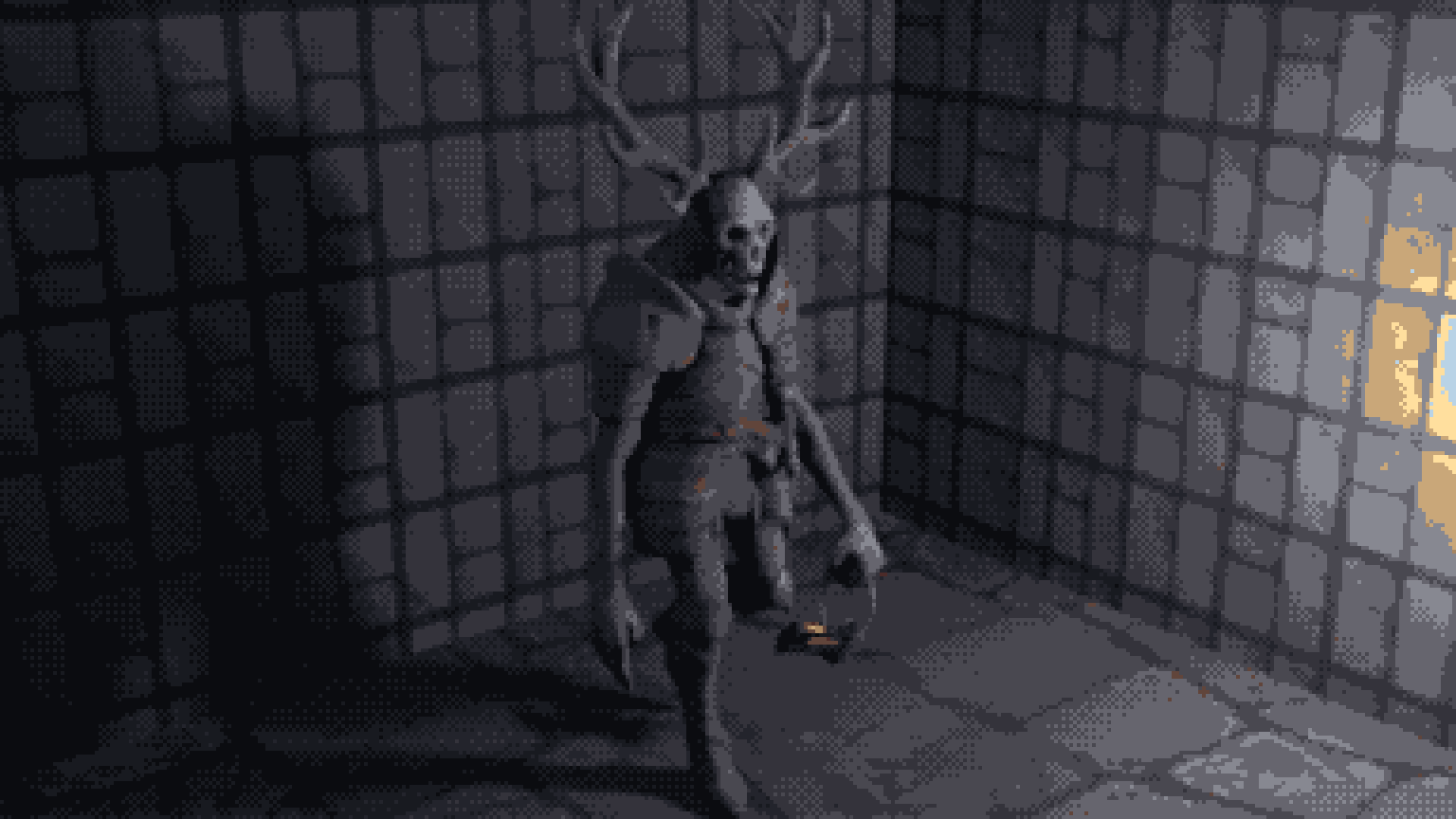
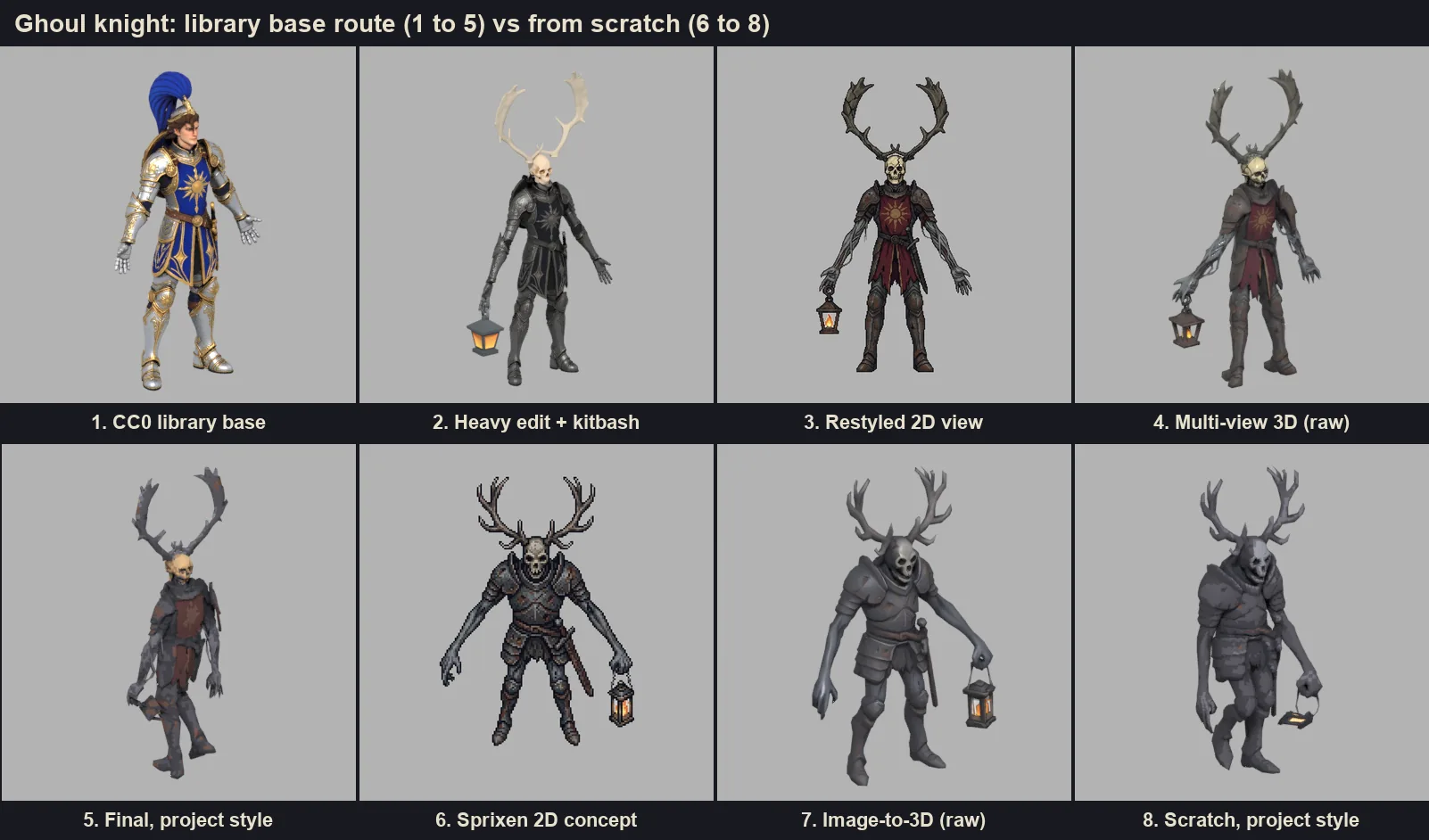
- Ghoul knight, two versions. We made a knight with deer antlers and a lantern twice: once from a heavily edited CC0 library knight and once from a 2D concept. Auto rig recognized both bodies, antlers and lantern included, with no manual fix, in about 45 and 49 seconds.
- The walk. Both came back with an in-place walk of 57 frames. One retarget waited about 4 minutes in a queue, so plan for jobs that take minutes and poll them.
- A creature. In a separate test, a creature built with image-to-3D from a Sprixen sprite got a Mixamo skeleton with fingers in under 30 seconds.
- The skin survived the style pass. After the project style set a real height of 2.699 m, a floor pivot and 13 or 14 palette colors, both knights kept their skin and walk clip, at 361 KB and 331 KB.
Why Mixamo bone names matter
Bone names are the contract between your character and every animation you will play on it. Mixamo's naming (Hips, Spine, Neck, Head, LeftArm, LeftForeArm, LeftHand, LeftUpLeg, RightFoot and so on, often with a mixamorig prefix) is the one engines already know:
- Godot 4. In Advanced Import Settings, select the Skeleton3D, add a Bone Map with SkeletonProfileHumanoid and Godot fills it from the Mixamo names. Animations then retarget between any characters that share the profile.
- Unity. Set the rig's Animation Type to Humanoid on an FBX import and the Mixamo bones map to the avatar automatically. GLB files need the glTFast package; convert to FBX in Blender when you want Humanoid retargeting.
- three.js. Clips play on the skeleton they were made for. GLTFLoader strips characters such as the colon from node names, so mixamorig:RightHand becomes mixamorigRightHand; look bones up by suffix.
In-place clips and game loops
A clip with root motion moves the character forward inside the animation. That suits cutscenes and fights a game controller, which wants to decide speed and direction itself. In-place clips keep the hips over the origin, so the character walks on a treadmill and your code moves it: set the velocity, play walk, and tune the playback speed until the feet stop sliding.
In-place also matters when you turn 3D into 2D. In the creature test we rendered the walk (8 frames) and an attack (10 frames) from 8 directions at 128 px. Two rules made the sheets usable: cancel any leftover displacement, and center each frame on the mean of the vertices. Centering on the bounding box failed, because the creature's flowing cape moved the box from frame to frame.
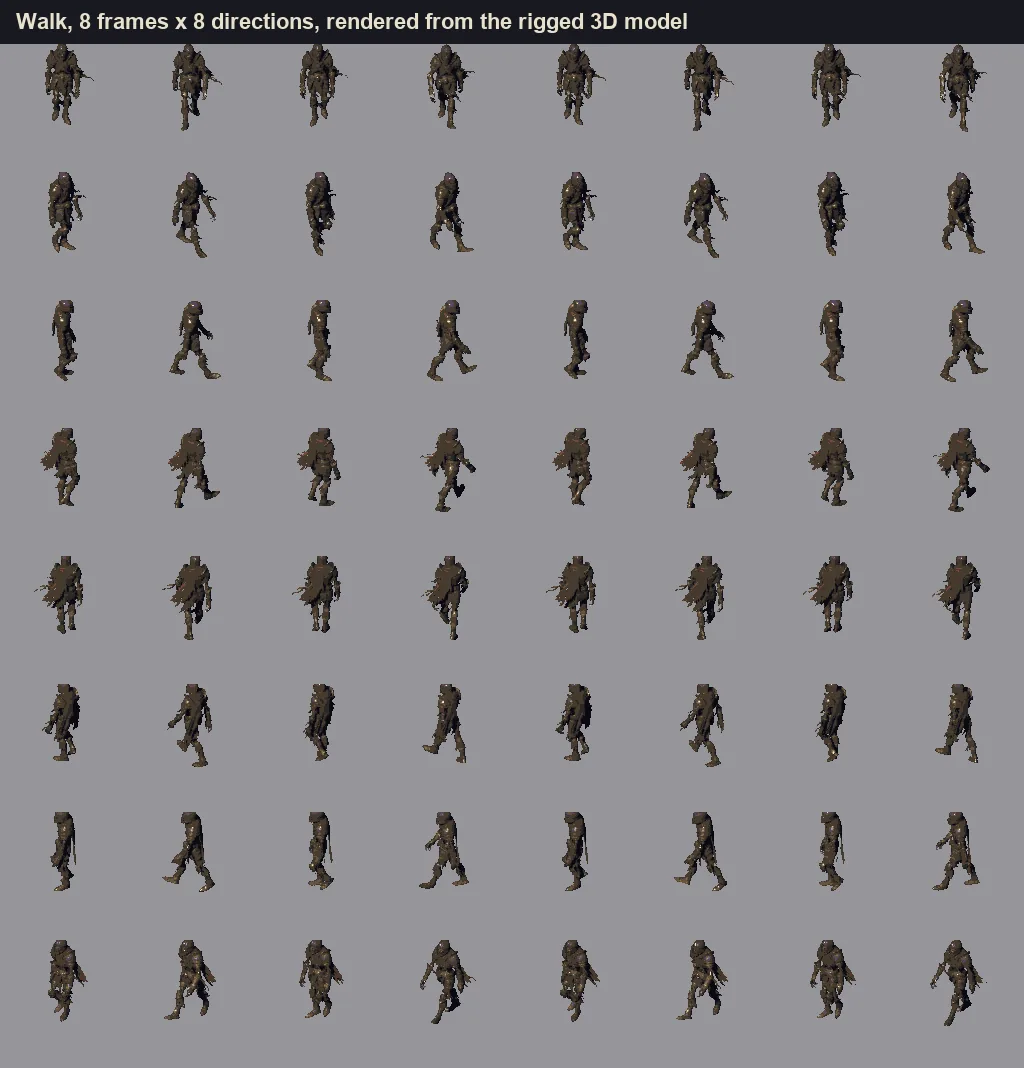
For rigged CC0 base characters, Sprixen's Character Studio does this render for you and returns a regular sprite with all 8 directions per animation, at 4 credits per animation type.
Held props go on a hand socket
Both ghoul knights carried their lantern as part of the body mesh. Auto rig skinned it to the hand and forearm like flesh, and in the walk the heavy lantern rotated and flattened against the thigh. It happened on both routes, so the fix is structural: generate the character empty handed, export the prop as its own GLB, and attach it to the hand bone at runtime.
# Godot 4: attach a lantern to the right hand
var skeleton: Skeleton3D = $GhoulKnight/Skeleton3D  # adjust to your imported scene tree
var socket := BoneAttachment3D.new()
socket.bone_name = "RightHand"  # after a humanoid Bone Map; otherwise the Mixamo name shown in the inspector
skeleton.add_child(socket)
socket.add_child(preload("res://props/lantern.glb").instantiate())
// three.js: same idea
let hand;
character.traverse((node) => {
if (node.isBone && node.name.endsWith('RightHand')) hand = node;
});
hand.add(lantern); // the prop's own GLB scene
lantern.position.set(0, 0.05, 0.02); // tune the grip onceIn Unity, parent the prop to the hand transform under the avatar. Swords, shields, torches and staffs follow the same rule, and a separate prop is easy to swap: the same knight can carry a lantern, a torch or nothing.
Checklist before you export
- Height in meters, measured on the posed mesh. Our knights stand 2.699 m. Blender's glTF importer adds a helper sphere for bones that inflates the bounding box, and the rest pose box does not match the posed body, so measure deformed vertices.
- Pivot at the feet, so y = 0 is the floor in every engine.
- Facing +Z, the glTF convention. Godot's forward is -Z, so rotate the root if needed.
- Clips in place and named (walk, idle, attack). Play each loop three times in a row to check the seam.
- Uniform scale. Scaling a skinned model per axis shears the rig.
- Texture budget. 128 px palette-locked PNGs for pixel projects, with unused normal and roughness maps removed.
- Weights near extra parts. Antlers, horns, capes and armor plates should follow the right bone in the most extreme poses, such as attack and die.
- Props separate, as above.
- Face count and size. Ours landed near 5,000 faces and under 400 KB per rigged character.
For the full pipeline, from reference image to exported kit, read how to make 3D game assets with AI. To rig your own model, open the 3D Studio, pick the model and request its first animation.
FAQ
Can AI rig any 3D character?
Auto rig handles bipeds, quadrupeds, insects, snakes, fish and similar bodies. It works best when limbs are clearly separated in the mesh; for armored or robed humanoids, force the humanoid skeleton if detection hesitates.
What are Mixamo bone names?
The bone naming used by Adobe's Mixamo service: Hips, Spine, Head, LeftArm, RightHand, LeftUpLeg and so on, often prefixed with mixamorig. Godot's humanoid profile, Unity's Humanoid avatar and most retargeting tools recognize them automatically.
What is an in-place animation?
A clip in which the character moves its limbs without traveling: the hips stay over the origin. Your game code moves the character, which keeps speed and direction under the controller's control.
How much does it cost to rig and animate a character in Sprixen?
The rig costs 6 credits, charged with the first animation, and each clip costs 3. Walk, idle and attack together come to 15 credits on top of the 3D model.
Why does my character's weapon bend when it walks?
Because the weapon is part of the skinned mesh and follows the arm's weights. Export it as a separate mesh and attach it to the hand bone with a BoneAttachment3D in Godot, a child transform in Unity or a child object in three.js.
Make 3D assets that match your game.
Set a project style from one reference image, then generate or adapt textured GLB models in real-world meters, auto rig them and add in-place animations for Godot, Unity or three.js.
Related Articles
How to Make 3D Game Assets with AI: A 2026 Guide from Real Tests
How to make 3D game assets with AI: a style bible from one reference, library models vs custom generation, real sizes, rigging, GLB export and the pitfalls we hit.
How to Make a Game in the "omw" Style: The Dark Gothic Pixel RPG Look Explained
How the viral "omw" dark gothic pixel RPG look works: low-res 3D, a 16 color palette, dithering, fog, torch against moonlight, plus a Godot 4 setup you can copy.
Import AI Sprites into Godot 4 with SpriteFrames (AnimatedSprite2D Guide)
How to get AI-generated sprite sheets into Godot 4 using SpriteFrames and AnimatedSprite2D, with the Sprixen Godot addon, the manual slicing path, and common import mistakes.