How to Make 3D Game Assets with AI: A 2026 Guide from Real Tests
How to make 3D game assets with AI: a style bible from one reference, library models vs custom generation, real sizes, rigging, GLB export and the pitfalls we hit.
To make 3D game assets with AI that look like they belong to the same game, set the style before you make the first model. One reference image becomes a style bible (palette, texel density, texture filter, proportions, wear and light) plus six material textures, and every model after that follows it. For each asset you then pick a route: adapt a license-safe library model, or generate a custom one from an image or a prompt. Give it a real size and a pivot, rig and animate it if it moves, and export a GLB your engine can load.
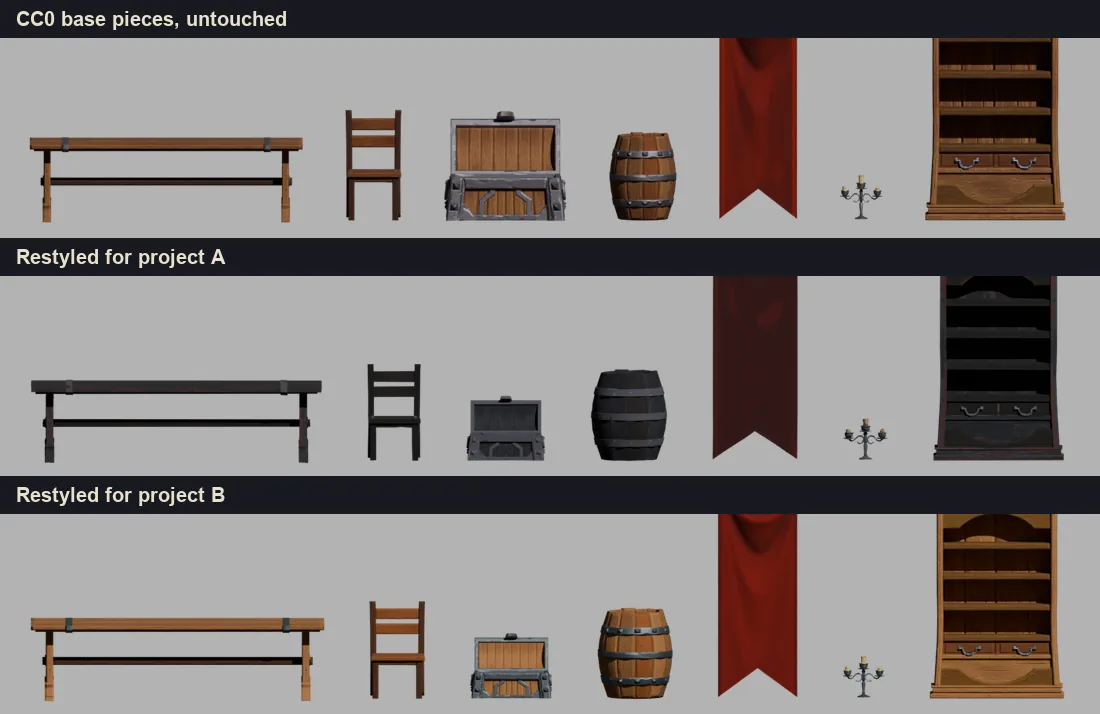
This guide comes from tests we ran on October 25, 2026: the same medieval room built twice for two opposite games out of 17 CC0 pieces, and two custom assets, a bone throne and a ghoul knight, made both from a library base and from scratch. Every number below comes from those runs.
Step 1: turn one reference image into a style bible
Start with the image that best shows how your game should look: a screenshot of your prototype, concept art you own, or a sprite you already made. Sprixen reads it and writes the project's rules. For this dark gothic pixel dungeon, it returned the bible in the table below.
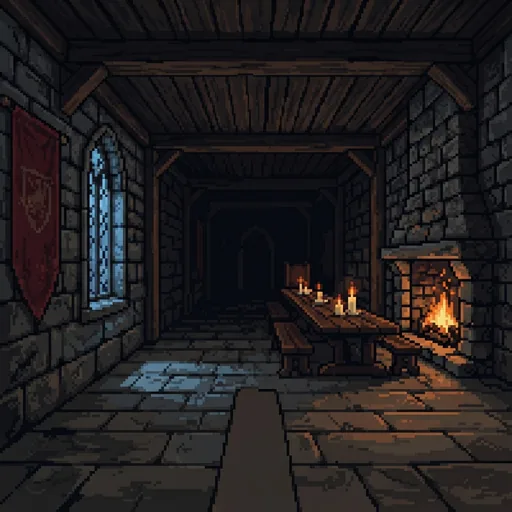
| Rule | What it controls | Value for the dark dungeon |
|---|---|---|
| Palette | The colors every texture is locked to | 16 colors, from #0b0c10 to #ffdf9e |
| Texel density | Texture pixels per meter of surface | 32 px per meter |
| Filter | How textures are sampled | Nearest, with a pixelated screen |
| Proportions | Thickness, height and roundness | 1.15, 0.95 and 0.1: thick, squat, hard edged |
| Wear | How chipped and uneven edges get | 0.65 |
| Light | Ambient, warm key, cold key and fog | #181a20, #ffdf9e, #7e9eb4, fog #0b0c10 at 0.45 |
The bible comes with six seamless materials in the same style: stone wall, floor, wood, metal, cloth and a pale "light" material for wax and parchment. A project style costs 6 credits. Our second reference, a warm painted tavern, came back with 256 px per meter, linear filtering and almost no fog, so the same furniture looked like a different game.
Step 2: adapt a library model or generate a custom one
Most of a game is ordinary stuff: tables, barrels, crates, shelves, torches. Kits for those already exist under open licenses, and adapting one is faster and more predictable than generating it. Sprixen's library only takes CC0 and CC-BY models, about 6,900 of them today, and searching it is free. Anything licensed NC, SA or GPL stays out, because those terms can block a commercial release or force your game's license. Adapting a piece costs 2 credits and usually finishes in under a minute: its colors move toward the project materials and palette, pixel styles get palette lock, the project's texel density and nearest filtering, and the model gets its real size and a pivot at the center of its base. The license and author travel with the result, so your credits screen is easy to write.
For the room test we used 17 pieces from the CC0 Fantasy Props MegaKit by Quaternius: tables, seats, a chest with open and close animations, a barrel, a bookcase, candles, a chandelier, a banner, a torch and smaller clutter. Restyling the whole kit took about 20 seconds per project in headless Blender, and the dark kit weighed 1.8 MB in total.
Generate when no kit has the piece: creatures, characters and the hero props a player remembers. Sprixen's 3D engine turns an image or a prompt into a textured GLB, fast (10 credits) or quality (14 credits). The best input is a 2D concept generated inside the same project, because the concept already follows the bible. We measured both routes on the same two assets in our kitbash versus from scratch test; in short, a library base wins for set pieces with a fixed size, and from scratch wins for creatures.
Step 3: real sizes and pivots
glTF uses meters, and so do Godot and Unity, where one unit is one meter. A chair that arrives one unit tall towers over your hero. Raw image-to-3D output comes out normalized to roughly one unit whatever the object is: before scaling, our first creature measured 1.03 m and a stone well exactly 1 m. Sprixen generates models in real-world meters, and adapted library pieces get a real height (from a size table by object class, or the height you pass) with the pivot at the center of the base, so they sit on the ground when you place them at y = 0. A few sizes from the restyled kit:
| Piece | Footprint (m) | Height (m) | Faces |
|---|---|---|---|
| Large table | 2.85 x 1.10 | 0.74 | 986 |
| Chair | 0.52 x 0.50 | 0.92 | 496 |
| Barrel | 0.75 x 0.75 | 0.88 | 824 |
| Bookcase | 1.28 x 0.38 | 2.08 | 2,148 |
| Mug | 0.13 x 0.10 | 0.12 | 268 |
Characters need one extra rule: measure the deformed mesh. Our first pass measured a creature at 0.89 m, because Blender's glTF importer adds a helper sphere to draw bones and the rest pose box misses the posed body; the deformed vertices gave 1.95 m during the walk. Scale static props per axis to hit an exact box, and scale skinned models uniformly so the rig does not shear.
Step 4: texel density and palette lock for pixel looks
Texel density is what makes 3D read as pixel art. At 32 px per meter, a 2 m wall shows 64 texels from floor to top, and every prop shows texels of the same size. Getting there means dropping detail on purpose: our textures went from 2048 px to 128 px, the base color was locked to the palette, and the sampler was set to nearest. A creature dropped from 3.5 MB to 0.7 MB; the final bone throne weighs 174 KB and the rigged ghoul knight 361 KB.
- Save the locked color as PNG. JPEG compression invents in-between colors and breaks the palette.
- Strip normal and roughness maps in pixel projects. In our kit, 2048 px normal and ORM maps stayed embedded in the GLB after we disconnected them from the material, so remove the texture nodes themselves.
- Tile world-space textures at the same density. Seamless 128 px stone and grass applied at 2 m and 3 m with box mapping kept one texel size across a field.
A painted style flips these settings: 256 px per meter, linear filtering and soft bevels. Keep bevels to pieces under about 3,000 faces, because they multiply face counts.
Step 5: rig and animate characters
Auto rig detects the body type (biped, quadruped, insect, snake, fish and others) and builds a skeleton with Mixamo bone names, so engines that already know Mixamo retarget it without a manual bone map. The presets are idle, walk, run, sprint, jump, attack, shoot, hurt, die, dodge, climb, turn, crawl, slither and swim, retargeted in place: the character walks on the spot and your game code moves it. The first animation on a model costs 6 credits for the rig plus 3 for the clip, and every clip after that costs 3.
On both ghoul knights the rig worked on the first try, antlers and lantern included, in under a minute, and the walk came back as a 57 frame in-place clip. The lantern went wrong, as the first pitfall below explains.
Step 6: export GLB to Godot, Unity and three.js
Godot 4
Drop the .glb into your project and Godot imports it as a scene. For a pixel look, set each material's Sampling Filter to Nearest and use Stretch Mode viewport with a small base resolution. For humanoids, open Advanced Import Settings, select the Skeleton3D and add a Bone Map with the SkeletonProfileHumanoid profile; Mixamo names fill it automatically. glTF models face +Z while Godot's forward is -Z, so rotate the root 180 degrees if your character walks backwards.
Unity
Add Unity's glTFast package (com.unity.cloud.gltfast) to import GLB, then set each texture's Filter Mode to Point for pixel styles. For Humanoid retargeting, convert the GLB to FBX in Blender and set Animation Type to Humanoid; Mixamo names map automatically.
three.js
import * as THREE from 'three';
import { GLTFLoader } from 'three/addons/loaders/GLTFLoader.js';

const gltf = await new GLTFLoader().loadAsync('/models/ghoul_knight.glb');
gltf.scene.traverse((node) => {
  const map = node.isMesh ? node.material.map : null;
  if (map) {
    map.magFilter = THREE.NearestFilter;  // keep texels square
    map.minFilter = THREE.NearestFilter;
    map.generateMipmaps = false;
    map.needsUpdate = true;
  }
});
scene.add(gltf.scene);

const mixer = new THREE.AnimationMixer(gltf.scene);
mixer.clipAction(THREE.AnimationClip.findByName(gltf.animations, 'walk')).play();
// every frame: mixer.update(clock.getDelta());
What it costs
| Step | Credits |
|---|---|
| Project style (bible and six materials) | 6, once per project |
| Search the 3D library | Free |
| Adapt a library model to the project | 2 |
| 2D concept to feed image-to-3D | 2 |
| 3D model, fast or quality | 10 or 14 |
| Auto rig, charged on the first animation | 6 |
| Each animation clip | 3 |
Furnishing a room with 17 adapted library pieces costs 34 credits. A hero prop from a concept costs 12 credits on fast. A character with walk, idle and attack costs 2 + 10 + 6 + 9 = 27 credits. The torch and hearth fire loops for both test rooms took 8 credits in VFX Studio. The Pro plan is $10 a month for 200 credits, and new accounts start with 6 free credits, enough for one project style.
Doing it from Claude Code or Cursor
Every step above is a tool on Sprixen's MCP server, so a coding agent can furnish a level while it writes the game: set_project_style for the bible, search_3d_library and adapt_3d_library_model for the kit pieces, generate_3d_model for custom models (from a prompt, it draws a reference image in the project style first) and animate_3d_model for rig and clips. The agent polls each job by ID; a model usually takes 1 to 3 minutes.
Pitfalls we hit
- Held props fused to the hand deform when walking. Both ghoul knights carried a lantern that was part of the body mesh. In the walk it rotated and flattened against the thigh, on both routes. Generate the character empty handed and attach the prop as a separate mesh to the hand bone.
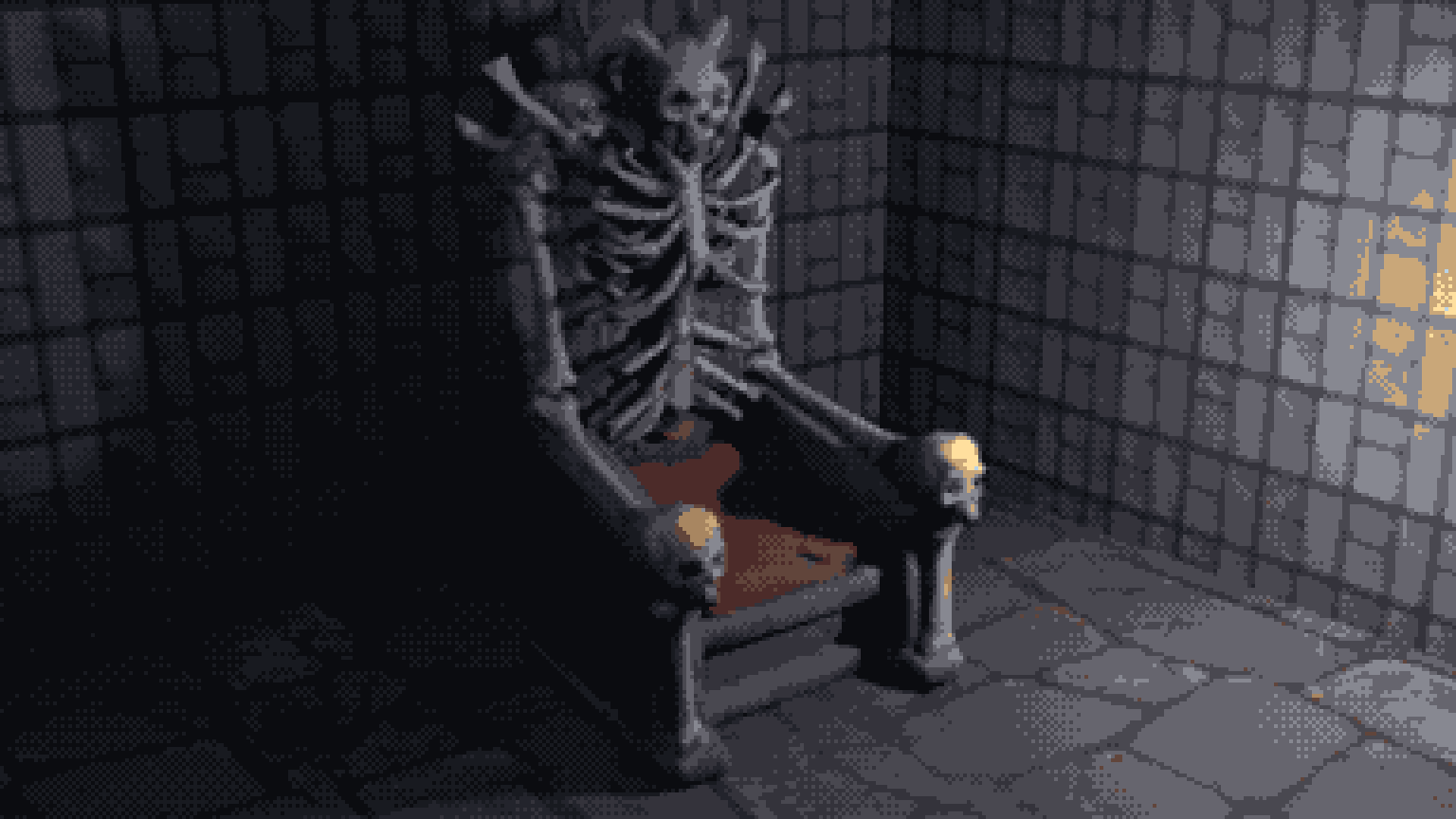
- Palette lock turns saturated reds brown. The dungeon palette has no saturated red, so the throne's red seat came out brown. Keep one or two accent colors from the reference (here, the banner red) in the palette before you lock.
- Style references with strong architecture leak into generated views. When we restyled views of the throne with the dungeon image as the reference, one view came back wrapped in a stone arch the throne never had. Say the reference is for palette, texture and dithering only, and check every view's silhouette.
- The concept's camera angle becomes the model. The dungeon project draws sprites from above, and the throne concept lost its plinth to that angle. Ask for a 3/4 front view when a concept is meant for 3D.
- Kit UVs can block AI texturing. A CC0 tower textured with AI came out black, because many kits map faces onto a tiny color atlas. New UVs (Smart UV Project in Blender) fixed it.
When your reference image is ready, open the 3D Studio, set the project style first and generate the first piece inside that project.
FAQ
What file format should AI 3D game assets use?
GLB, the binary form of glTF 2.0. It keeps mesh, textures, skeleton and animations in one file, uses meters, and loads in Godot, three.js and Unity (through glTFast).
Can I use CC0 and CC-BY 3D models in a commercial game?
Yes. CC0 has no conditions, and CC-BY asks you to credit the author, for example on your credits screen. Avoid NC licenses, which forbid commercial use, and SA or GPL licenses, which can require you to release your work under the same terms.
How many polygons should an AI generated game model have?
In our test, the generated thrones and characters landed just under 5,000 faces each, under 200 KB for props and under 400 KB for rigged characters after the texture budget. Sprixen's fast tier caps models at about 12,000 faces for game use. Both are comfortable for PC and web games; collision meshes and LODs still need their own pass.
How do I keep 3D models in the same style as my 2D sprites?
Make both inside one project with one project style; its rules apply to sprites, tiles, effects and 3D models alike.
Make 3D assets that match your game.
Set a project style from one reference image, then generate or adapt textured GLB models in real-world meters, auto rig them and add in-place animations for Godot, Unity or three.js.
Related Articles
How to Rig and Animate 3D Characters with AI: Auto Rig, Mixamo Names and In-Place Clips
Auto rig humanoids and creatures with AI, get Mixamo bone names for engine retargeting and in-place clips for game loops. What to check before export, and why held props need a hand socket.
Kitbash a Library Model or Generate from Scratch? What a Bone Throne and a Ghoul Knight Taught Us
We made a bone throne and a ghoul knight twice: a heavy edit of CC0 library models and generation from scratch. Silhouette checks, quality, control, effort and when to use each.
How to Make a Game in the "omw" Style: The Dark Gothic Pixel RPG Look Explained
How the viral "omw" dark gothic pixel RPG look works: low-res 3D, a 16 color palette, dithering, fog, torch against moonlight, plus a Godot 4 setup you can copy.