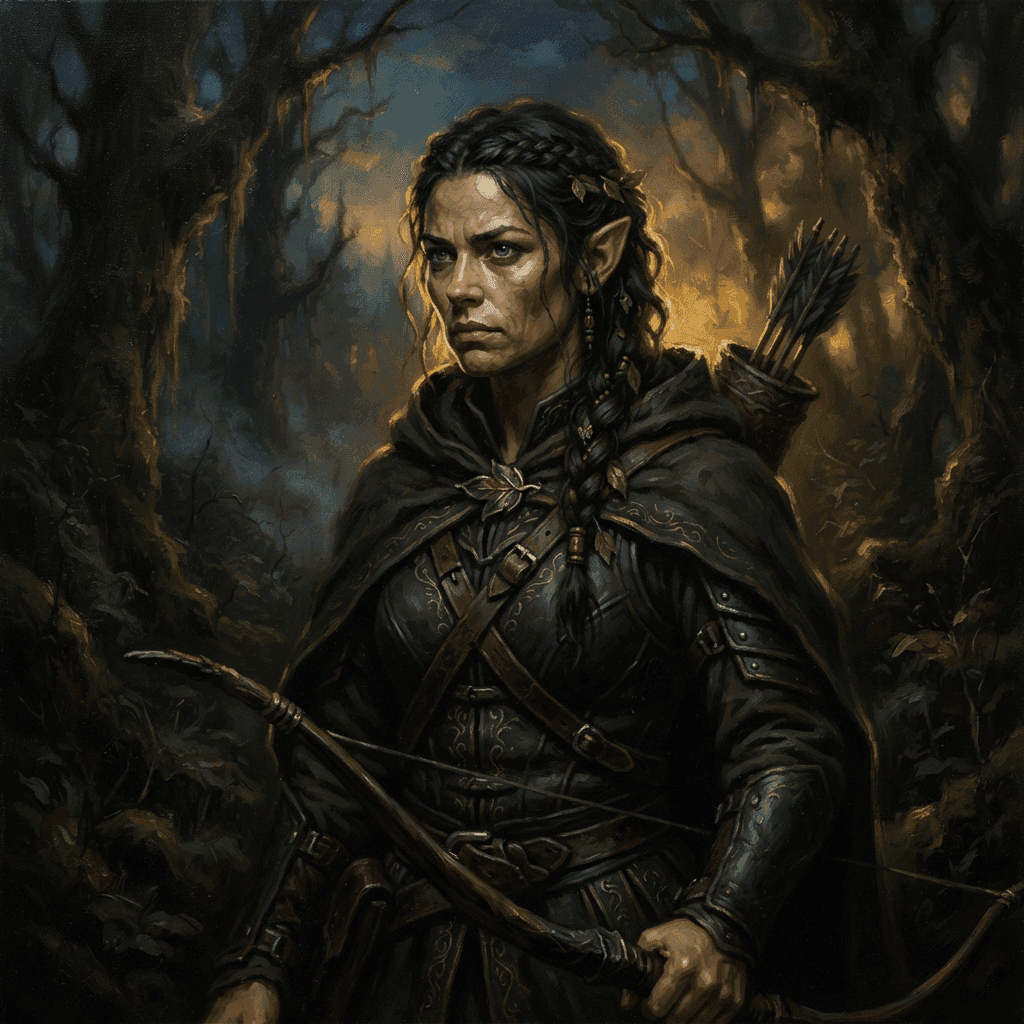
AI D&D Character Art: Prompts and Styles That Actually Work
A prompt structure and 12 example prompts for AI D&D character art that actually holds up at token size, plus fixes for the most common generation failures.
A good AI art prompt for a D&D character is a short, structured description that tells the model exactly what to draw and, just as importantly, what to leave out, rather than a paragraph of adjectives thrown at a generator in hope of a good result. This guide breaks down that structure, gives working example prompts across the core classes, and covers the mistakes that turn a great character concept into a mess of extra fingers and a cluttered background.
The prompt structure that works
A reliable D&D character prompt covers six things, roughly in this order:
- Subject: who or what is being drawn. "A dwarven cleric."
- Class or race detail: the specific archetype markers. "Wearing plate armor with a holy symbol on the chest."
- Gear: the weapons and items that read as iconic for this character. "Carrying a warhammer and a round shield."
- Pose: what the character is doing. "Standing in a ready stance, one hand raised in blessing."
- Framing: how much of the character is visible. "Waist up portrait" or "full body, three quarter view."
- Lighting and style: the visual treatment. "Warm torchlight, oil painting style."
Leaving out framing and style is the single most common mistake. Without them, a generator has to guess whether you want a full body action pose or a tight headshot, and the guess is often wrong.
Twelve example prompts across the core classes
- Fighter: "Human fighter in battered plate armor, longsword and shield, standing in a ready stance, waist up portrait, dramatic side lighting, oil painting style."
- Wizard: "Elven wizard in dark blue robes with silver trim, holding a wooden staff topped with a glowing crystal, three quarter body view, soft magical glow, painted fantasy illustration."
- Rogue: "Halfling rogue in a hooded leather jacket, twin daggers at the belt, sly half smile, waist up portrait, moody low light, ink and watercolor style."
- Cleric: "Human cleric in white and gold plate armor, holding a mace and a holy symbol raised in one hand, full body, warm golden light, oil painting style."
- Paladin: "Half orc paladin in ornate silver armor with a red cape, greatsword resting on one shoulder, full body, three quarter view, heroic lighting from below, digital painting."
- Ranger: "Wood elf ranger in green and brown leather gear, longbow in hand, quiver on the back, standing at the edge of a forest, full body, natural daylight, painted illustration."
- Barbarian: "Orc barbarian with fur pauldrons, wielding a massive two handed axe, roaring pose, full body, dramatic backlighting, gritty painted style."
- Bard: "Tiefling bard in a colorful velvet coat, holding a lute, confident grin, waist up portrait, warm tavern lighting, painterly style."
- Druid: "Human druid in robes made of woven leaves and bark, holding a gnarled wooden staff, standing among glowing plants, full body, soft green ambient light, fantasy illustration."
- Sorcerer: "Dragonborn sorcerer with faint scale patterns glowing along the arms, crackling energy in one open palm, waist up portrait, cool blue rim lighting, digital painting."
- Warlock: "Human warlock in a dark tattered cloak, eyes glowing faintly purple, one hand extended with a small dark flame, waist up portrait, moody shadow lighting, ink illustration style."
- Monk: "Human monk in simple wrapped cloth robes, mid motion in a martial arts stance, full body, dynamic action pose, clean daylight, painted illustration."
Choosing a style
| Style | Feel | Best for |
|---|---|---|
| Oil painting | Rich, classic fantasy book cover look | Hero portraits, NPCs meant to feel important |
| Ink illustration | High contrast, sharp linework | Rogues, villains, anything with a noir or gritty tone |
| Pixel art | Retro, chunky, small scale friendly | Tokens and sprites more than large portraits |
| Anime style | Clean lines, expressive faces | Tables that prefer a JRPG or anime visual tone |
| Watercolor | Soft edges, muted color blending | Gentler, whimsical, or more literary campaign tones |
Portrait framing versus token framing
A portrait meant for a character sheet or a chat card benefits from a wider frame: waist up or three quarter body, with room for gear and a bit of environment or atmosphere in the background. A token needs the opposite treatment: a tight crop on the face and shoulders, centered, with the background either plain or removed entirely, since it will shrink down to 70 to 100 pixels on the table. If you're generating one image to serve both purposes, favor the token friendly crop and let the portrait use case take the hit, since a slightly wide portrait is far more forgivable than an illegible token.
Keeping a whole party visually consistent
Nothing breaks immersion faster than a party where one character looks like an oil painting, another looks like anime art, and a third looks like a photo. Lock a shared style phrase, for example always ending each prompt with "painted fantasy illustration, warm lighting", and reuse it across every character in the same campaign. Generating the whole party in the same session, back to back, also helps, since it reduces the chance of the underlying model's default look drifting between characters.
Common failures and how to fix them
- Extra or malformed fingers: hands are the hardest part of a figure for most image generators. Cropping the frame at the waist, or specifying a pose where hands rest relaxed at the sides rather than gesturing, reduces how often this shows up.
- Wrong gear: if a wizard keeps generating with a sword instead of a staff, be explicit and exclude the unwanted item directly: "holding a wooden staff, no sword."
- Busy or distracting backgrounds: add an explicit background instruction like "plain neutral background" or "simple dark background" rather than leaving it unspecified, especially for anything you plan to crop into a token later.
Iterating instead of starting over
The first generation rarely nails everything, and that's normal. Rather than rewriting the entire prompt from scratch when something's off, change one element at a time and regenerate: swap only the lighting phrase if the pose and gear already look right, or adjust just the framing instruction if the character itself is good but cropped awkwardly. Treating a prompt as a set of independent parts, subject, gear, pose, framing, lighting, style, makes it much easier to isolate which part of the description is producing the unwanted result.
If a generator supports regenerating with the same seed or a reference image, use that once you've landed on a version you like, rather than describing the same character from scratch for every new pose or scene. Consistency across a character's different scenes (combat art, a portrait, a token) comes from reusing the same base description and only changing what actually needs to change.
Writing exclusions instead of just descriptions
Most generators respond better to a direct exclusion than to hoping the positive description alone rules something out. If a fantasy prompt keeps generating a modern firearm on a character who should be carrying a sword, add an explicit exclusion like "no modern weapons, no firearms" rather than assuming "medieval fantasy setting" is enough on its own. The same applies to unwanted background elements, extra characters appearing in frame, or a style bleeding in that you didn't ask for.
A note on originality and copyright
Stick to generic fantasy archetypes described by class, race, and gear rather than naming a specific copyrighted character, franchise, or real person in your prompt. "A tiefling bard with a lute" is safely generic. Referencing a named character from an existing game, film, or book risks both a worse result, since the model may fixate on unrelated details from the source, and a genuine copyright concern if you plan to publish or sell the resulting art.
From prompt to portrait to token
Once you've got a prompt structure that produces a portrait you like, Sprixen's free D&D character portrait generator turns it into finished art, and the same generation flows directly into the token maker, which crops and masks the same art into a table ready token automatically. That keeps the portrait and the token visually identical instead of looking like two different characters. For the pixel and format details once you get to that step, see the token sizing guide for Foundry and Roll20, and for a wider look at portrait tools beyond a single generator, see the best D&D character creator comparison.
FAQ
What's the best AI prompt structure for D&D character art?
Cover six things in order: the subject, class or race detail, gear, pose, framing (portrait or full body), and lighting or style. Skipping framing and style is the most common cause of unpredictable results.
How do I stop AI art from adding extra fingers?
Crop the frame at the waist or shoulders so hands are less prominent, or describe a relaxed pose where hands hang at the sides rather than gesturing or holding something complex.
Can I use a named character from a book or game as a prompt reference?
It's safer to describe a generic archetype by class, race, and gear instead. Referencing named copyrighted characters can produce inconsistent results and raises real copyright questions if you plan to publish or sell the art.
Should a D&D portrait and its token use the same prompt?
Yes, ideally. Using the same base art for both keeps the character visually consistent between the character sheet and the token on the table, rather than looking like two unrelated illustrations.
What art style works best for a whole D&D party?
Whatever style you pick, keep the same style phrase across every character in the party and generate them in the same session. Consistency matters more than which specific style you choose.
That same consistency principle is what Sprixen Drops applies to a whole session: maps, tokens, VFX and audio generated together in one style, every month.
Skip the prep. Grab this month's drop.
The Sunken Harbor drop ships 5 battle maps with day and night variants, 20 tokens, 6 animated effects and 3 ambient loops, all in one style, plus a free sample map to try before you sign up.
Related Articles
How to Make Custom Terraria Item and NPC Sprites with AI (tModLoader Guide)
Make Terraria mod sprites with AI: tModLoader texture naming, right-facing item art, vertical NPC sheets, frame counts and a full workflow.
Stardew Valley Mod Sprites with AI: Items, Portraits and NPC Sheets for Content Patcher
Make Stardew Valley mod art with AI: 16x32 NPC frames, 64x64 portraits, item sprite indexes and the Content Patcher Load and EditData setup.
Modding PC Games with Claude Code: Give Your Agent Consistent Sprites
Use universal-modder and Claude Code to mod games you own, and add the Sprixen MCP server so the agent gets one-style sprites and animation sheets.