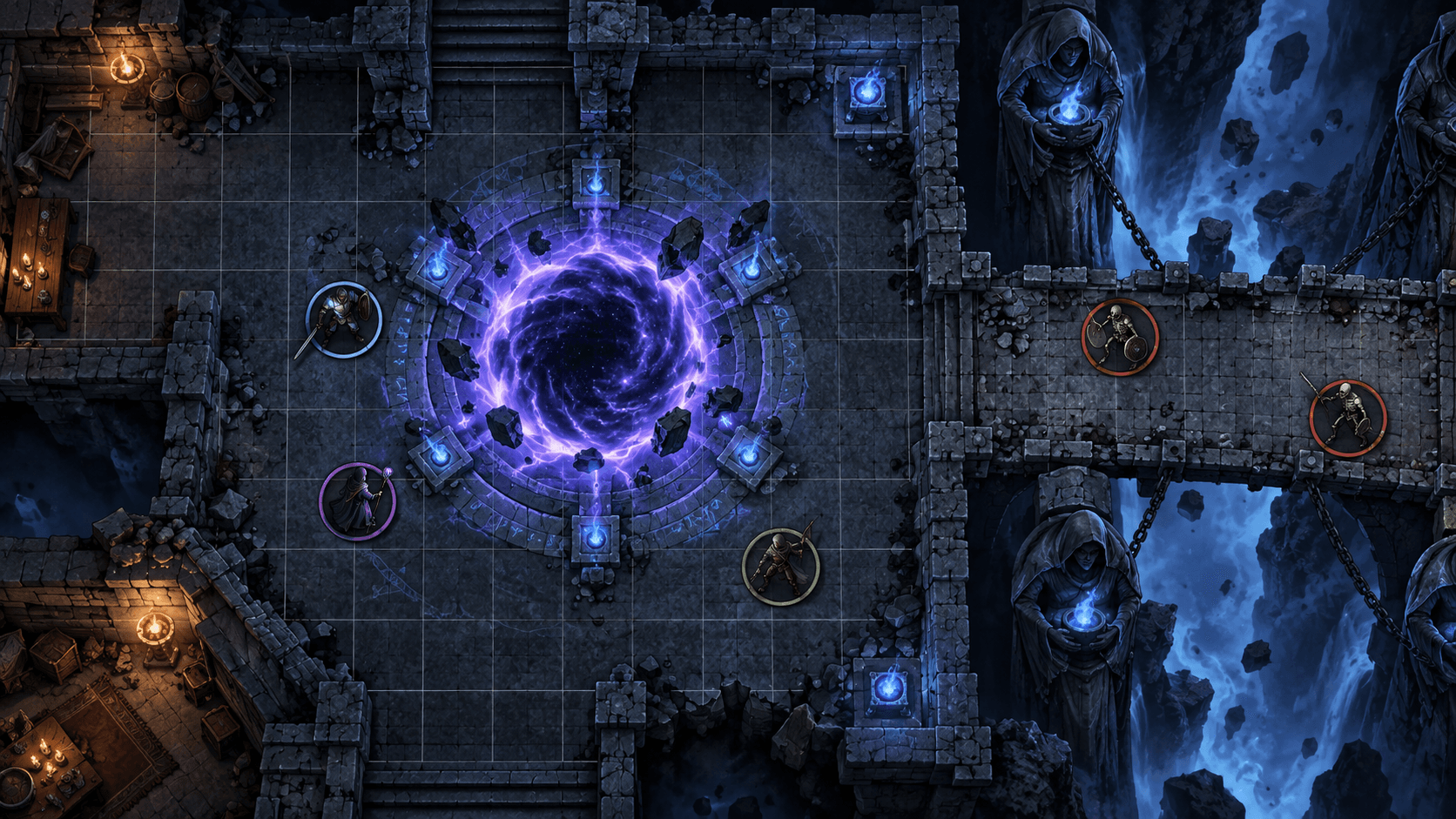
The Best Animated Battle Map Tools in 2026: A Practical Comparison
Animated maps are useful when motion communicates gameplay. Here is how Foundry, Roll20, Owlbear, Czepeku, Dungeon Alchemist and Sprixen compare on format, setup and table performance.
An animated battle map can make a portal pulse, a river move, or a furnace breathe. It can also turn a session into a loading-screen support ticket if the file is too large, the format is wrong, or the motion adds no useful information. The best tool depends less on how impressive the preview looks and more on where you play, how much control you need over the grid, and whether the animation is part of the encounter or just decoration.
Short answer: use Foundry VTT when you want the most control over scenes, tiles and modules. Use Roll20 when your group already plays there and you value the shortest import path. Use Owlbear Rodeo for a lightweight browser table. Use Czepeku or Dungeon Alchemist when you want a map-making workflow rather than an asset generator. Use Sprixen when you need a custom map concept, a consistent visual style, or a fast batch of supporting tiles before taking the result into your VTT.
What counts as an animated battle map?
There are three different products often described with the same phrase. A video map is a looping background, usually WebM or MP4, with little or no interaction. An animated tile is a smaller asset such as water, smoke, fire or a spell effect placed over a static scene. A VTT scene is the complete playable setup: map image, grid, walls, lights, tokens and sometimes ambient audio. A tool may be excellent at one and poor at the other two.
Quick comparison
| Tool | Best for | What you control | Main tradeoff |
|---|---|---|---|
| Foundry VTT | Power users and module-heavy campaigns | Grid, tiles, walls, lighting, modules and scene behavior | More setup and hosting decisions |
| Roll20 | Groups already playing in Roll20 | Scene dimensions, grid, layers and marketplace assets | Less control over the underlying runtime |
| Owlbear Rodeo | Fast, low-friction browser play | Maps, tokens, fog and extensions | Fewer deep automation options |
| Czepeku | Finished premium maps with variants | Map selection, versions and VTT module options | You buy the art instead of generating a custom scene |
| Dungeon Alchemist | Building a complete 2D map yourself | Rooms, props, lighting, terrain and export | Style follows the application's asset library |
| Sprixen | Custom concepts and consistent companion assets | Prompt, style direction, tiles, props and sprites | You still configure the final scene in your VTT |
Foundry VTT: the best host for a custom pipeline
Foundry is the strongest choice when an animated map is part of a larger scene system. Its default grid is 100 pixels per square, but the scene grid is configurable. Static backgrounds, video tiles and smaller animated tiles can coexist, and modules can add lighting, walls, weather or interaction. That flexibility is valuable, but it means you should decide the scene's grid and file strategy before you start exporting art.
For a reliable setup, use a compressed WebM for a full-screen looping background, then reserve smaller transparent tiles for effects. A 20 MB water tile is easier to cache and replace than a 200 MB map video. Foundry's own documentation recommends WebM for video tiles and explains how scene dimensions affect the grid: Scenes and Tiles.
Roll20: the shortest path for an existing table
Roll20 wins when the group already has its campaign, character sheets and macros there. The important question is not whether a creator can export a video. It is whether the exported file can be uploaded, sized and aligned without changing the way players already connect to the game. Test one scene with the real browser and the real number of players before producing a whole pack.
Keep the map's aspect ratio and grid consistent. If the map is meant to be 40 squares wide, tell the VTT that explicitly rather than resizing by eye. A visually perfect map that is one square off creates more work during play than a slightly less detailed map with dependable measurement.
Owlbear Rodeo: a good lightweight table
Owlbear is a strong fit for one-shots, classrooms and groups that do not want a host to manage a full VTT stack. It has no single fixed pixel grid value, so the quality of an import depends on the map's own proportions and on matching the overlay carefully. That is a feature for a flexible table, but it makes strict asset packs less predictable.
Czepeku and Dungeon Alchemist solve different problems
Czepeku is a content library and presentation system. Its value is the amount of finished art, variants and atmosphere you get without drawing a map. Dungeon Alchemist is a map construction tool. Its value is the ability to block out a room, populate it and export a scene that reflects your layout. Neither is a replacement for a VTT host, and neither gives you the same freedom as a custom pipeline built around generated assets.
Where Sprixen fits
Sprixen is most useful before the final VTT import. Generate a visual brief for the scene, lock a project's style, then create the map's hero asset, supporting props and tokens in the same visual language. The battle map generator is useful for a fast custom starting point, while the map builder lets you assemble generated tiles and export a playable composition. Treat the generated result as production input, not as a finished Foundry configuration: verify grid scale, collision, lighting and performance yourself.
A performance checklist that actually matters
- Test the map on the least powerful player's laptop or phone.
- Keep a static fallback for players with slow connections.
- Prefer short loops with obvious loop points over long cinematic files.
- Do not animate every surface. Motion needs to communicate water, danger, direction or mood.
- Measure the grid after import and before the session starts.
- Keep source files and VTT-ready exports in separate folders.
The right animated map tool is the one that leaves the GM with fewer things to repair during play. For most groups, that means a modest loop, a correctly aligned grid and a static fallback. The dramatic version is worth making only when the motion tells players something the still image cannot.
Make game art that stays in one style.
Generate sprites, animations, tiles and effects that share one locked style per project, in the web app or straight from Claude Code and Cursor. 6 free credits on signup, no credit card required.
Related Articles
How to Import the Same Battle Map into Roll20, Foundry and Owlbear Rodeo
A VTT-neutral workflow for sizing, aligning and testing one battle map across Roll20, Foundry VTT and Owlbear Rodeo without rebuilding the art three times.
8 Best D&D Token Makers in 2026 (Free and VTT-Ready)
Token Stamp 2, Foundry's built-in token tools, Roll20, GM Craft Tavern, Hero Forge and Sprixen's free token maker compared, plus the exact token sizes each VTT expects.
How to Make D&D Tokens for Foundry VTT and Roll20 (Sizes, Borders, Formats)
Pixel sizes, borders, and file formats for D&D tokens in Foundry VTT, Roll20, Fantasy Grounds, and Owlbear Rodeo, plus the fastest ways to make a full party's worth.