Roblox Particle Textures and VFX Flipbooks: Sizes, Alpha and the Mistakes That Kill Performance
A practical guide to Roblox ParticleEmitter textures and flipbooks, including grid layouts, alpha, mobile profiling and a safe export workflow.
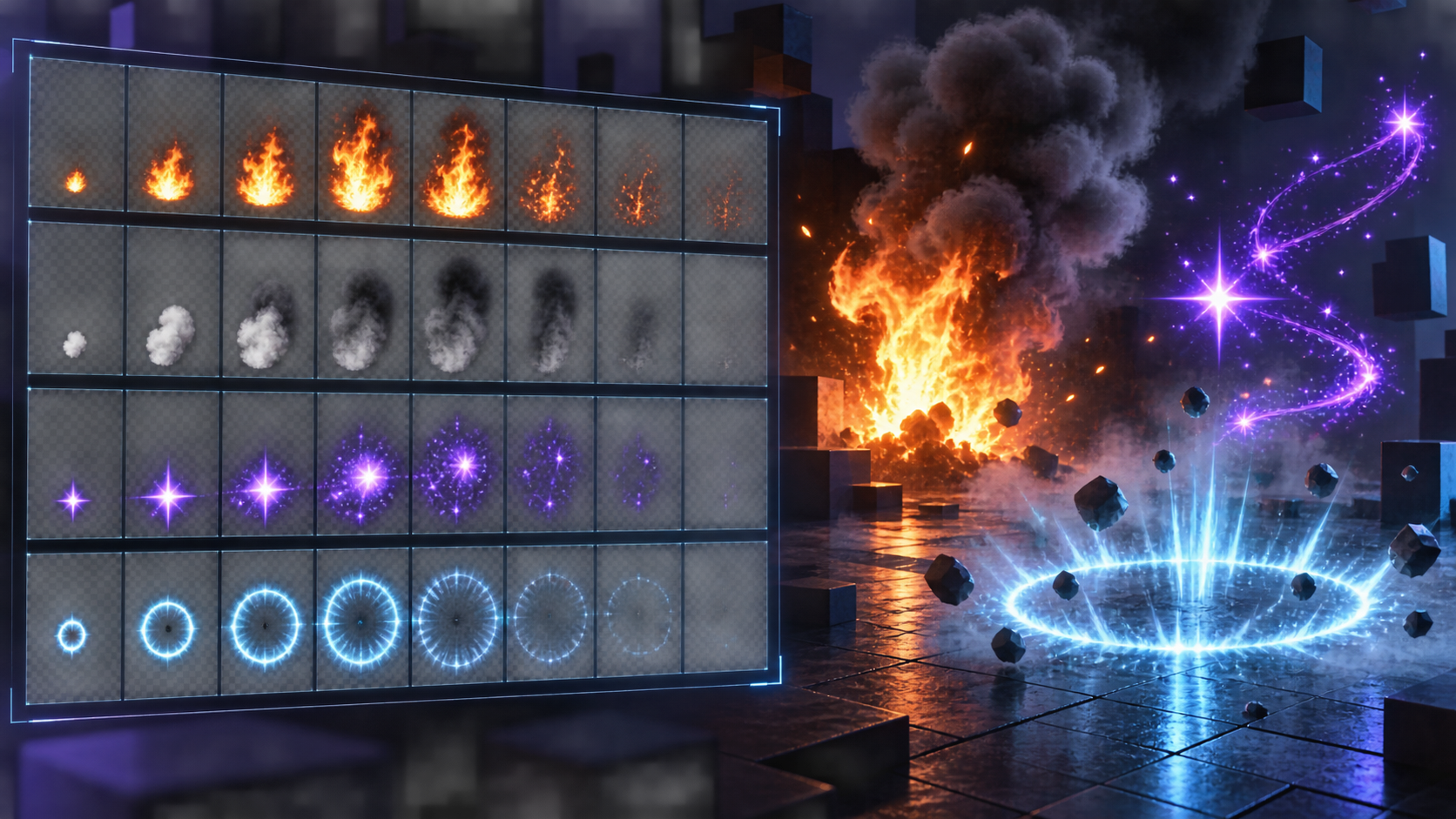
A particle texture is not a miniature video file. It is an image sampled repeatedly by a renderer that is also handling lifetime, speed, emission, transparency and blending. A flipbook adds animation by dividing one texture into frames. That is powerful for fire, smoke, sparks and magic, but it makes careless export decisions visible very quickly.
The best result is not the largest sheet. It is the smallest transparent texture that communicates the effect at the distance players will actually see it, with a frame rhythm that does not fight the emitter.
Static texture versus flipbook
| Use case | Static texture | Flipbook | Choose flipbook when |
|---|---|---|---|
| Dust, glow, soft smoke | Often enough | Useful for variation | A changing silhouette prevents repetition |
| Fire or magical burst | Can look frozen | Usually stronger | The shape changes, not just the position |
| Ground decal | Predictable and cheap | May be unnecessary | The effect itself is an animation cue |
| Many simultaneous particles | Lower content complexity | More texture sampling | The frame change is visible at the expected scale |
What Roblox supports
The ParticleEmitter reference documents FlipbookLayout values including None, Grid2x2, Grid4x4, Grid8x8 and Custom. This is the first decision to make when exporting: the sheet layout in the file must match the layout selected in Studio. A 4x4 texture interpreted as 8x8 does not become more detailed. It becomes a grid of broken, tiny frames.
Use a power-of-two-friendly square sheet when possible, keep frame cells uniform and leave no accidental gutters unless you have deliberately designed for them. A consistent cell makes it easier to reason about motion and avoids sampling a neighboring frame at the edge.
Alpha is part of the effect
A particle texture should usually carry a real alpha channel. Black pixels behind smoke, a white matte around a spell, or a premultiplied edge interpreted as straight alpha will show up as a halo or a rectangle in Studio. Check the sheet against both a dark and a light background before import. If the edge changes color when the background changes, fix the export rather than adding a blend-mode workaround.
Do not use GIF as the source of truth for a Roblox particle effect. GIF has a limited color model and a poor fit for transparent game VFX. Keep a lossless RGBA source and make any runtime conversion explicit.
Frame count and rhythm
More frames do not automatically create better motion. A 16-frame burst can feel slower than an 8-frame burst if the emitter lifetime and playback mode are mismatched. Decide whether the effect should loop, play once, ping-pong or randomize. Then make the first and last frames agree with that decision.
| Effect | Good starting direction | What to inspect |
|---|---|---|
| Impact burst | Short 4x4 or 8x8 one-shot | Readable first frame and clean final fade |
| Campfire | Looping 4x4 or 8x8 | Loop seam and repeating silhouette |
| Magic trail | Static core plus small animated overlay | Overdraw and stacking brightness |
| Smoke plume | Few soft frames with a long lifetime | Alpha edge, scale and direction |
Performance is mostly about the scene, not one sheet
A small texture can still be expensive when hundreds of particles overlap, remain alive for too long or cover a large portion of the screen. Profile the complete effect on a low-end phone. Lowering texture size may help memory, but reducing emission count, lifetime and overdraw often helps the frame rate more.
Keep the effect's visual job narrow. If the player must understand that a spell hit, the first few frames should provide a clear silhouette. If the effect is ambient, accept a simpler texture and save visual budget for the gameplay-critical moment.
Export from an asset pipeline
- Generate or draw the effect on a transparent background.
- Normalize every frame to one cell size without changing the subject's anchor.
- Pack the frames into the selected grid and retain the frame order in a small metadata note.
- Open the PNG in an alpha-aware viewer and inspect edge pixels.
- Import into Studio, select the matching FlipbookLayout and choose the correct playback mode.
- Test one effect alone, then test the real combat scene with several emitters.
Sprixen's animated effects workbench is designed around transparent game effects and spritesheets, which makes it useful for producing a starting sheet. Roblox Studio remains the place to tune emission, lifetime, playback and device performance. A good asset pipeline gets you to the real test faster. It does not remove the test.
The Roblox Creator Pack generates a genre-matched flipbook alongside your icon, thumbnail and UI kit, so the VFX palette starts consistent with the rest of the game.
Preview the effect before you commit to it.
Fire, ice, lightning and 37 more effect families, previewed live and exported as sprite sheets for Godot, Unity and Phaser or as a transparent WebM.
Related Articles
Best AI Game Asset Generators in 2026: Sprites, Icons, Tiles, UI and 3D
The AI game asset generators worth using in 2026, compared on what they make (sprites, icons, tiles, UI, 3D), price, free tier, API and MCP access, with results from a real test session.
Best AI Sprite Animation Generators in 2026 (Walk Cycles, Attacks, 8 Directions)
AI sprite animation generators compared: how each one animates (text, image, skeleton, video, 3D), frame counts, directions, export formats and price per animation, plus a real 4 and 8 direction test.
Best MCP Servers for Game Development in 2026 (Godot, Unity, Unreal, Blender, Roblox)
The MCP servers that let Claude Code, Codex and Cursor work inside game engines and generate game assets: Godot, Unity, Unreal, Blender, Roblox Studio, Aseprite and asset generators, with stars and install commands.